Showing posts with label a. Show all posts

Saturday, March 22, 2014

Using WPA for a more secure wireless connection


Wi-Fi Protected Access, or WPA, is a new, improved security standard for wireless connections. WPA has addressed the weaknesses of WEP; it was developed to create a viable alternative to WEP that is more secure than that standard. The fundamentals are the same between the standards, but WPA has improved some of the various mechanisms that plagued WEP. For example, encryption keys are now dynamic and change often automatically. Additionally, the complexity of the encryption key has also been increased to help fight off users who try to derive a key from data that they capture. One of the largest improvements in WPA is the addition of authentication to the wireless connection. Now, users have to have the right encryption settings, as well as a valid username and password, to gain access to the network.

This new standard is just starting to gain momentum. Microsoft has released a special patch for Windows XP that adds this new standard to Windows. However, installing the patch will not allow you to use this new standard. Just as with WEP, WPA is programmed into the firmware of the hardware components. In order to use WPA, you must have hardware that specifically supports it. Currently, only a few companies offer base stations and wireless adapters that support this new method of security. However, that will change in time.

The next time you are considering purchasing a wireless base station and adapter, do some research and pick one that supports WPA to ensure that your wireless communications will not be decrypted and your privacy is secure.
Read more »

Basic Information of Clearing a Printer


printer imagePrinters is usually don’t require  clearing, but paper dust and airborne can collection inside , adding to heat build –up and leading to medical problems. We can clean the outside surface of most printers with a dry or damp cloth, but don’t use solvents or spray
Clears which may be harmful to some printer’s parts.
To clean the inside of the printers, open it up and removes all paper. Removes the toner cartridge, or ribbon as your owners manual directs. Use a lint-free cloth or swabs to gently remove built-up dust and dirt.
Do not use a wet cloth, and never spray any kind of liquid cleaner into your printer unless the manufactures recommends doing so.
If the printers have a great deal of dust built up inside, you can use a vacuum cleaner with a narrow nozzle to pull out the dust. If dust appears to be stuck or is embedded in tiny spaces use a can of compressed air to blast it loose, then vacuum it out.

Thanks 
Read more »

The Computer Restart Cause of a Sudden

Everybody does not love to use the computer.Small and large the computer uses various reasons.99.9 percent people who love there computer.But sometimes unfortunate the computer that behavior it becomes really cincrate with us.Restart not a significant factor in a computer.This is basically due to the difference.

why the computer restart is given below :
computer restart image
1.Internet temperature is one of the main reasons for this.

2.Ram got reason the computer restart.

3.  Bad sectors as well as read data from the hard drive and restart the computer hangs when trying to be.

4. USB device connected to the computer when the computer is restarted.

5.  Due to the variety of operating systems, operating system crash can not be turned on and start a new try. The operating system is a complex problem, but it can be restarted.
    
If the hardware is not connected properly, or if you have problems or if you reboot the computer can be connected loss.


6.  The virus can also reboot the computer. It is important to use a good antivir.
    
Its a computer expert to go with your computer.


Read more »

Thursday, March 20, 2014

Computer Diagnostics How to Fix a Slow Computer

By: Simon Cave

Why is my computer running slow?

The modern consumer PC is a complicated beast. Unlike a relatively simple machine such as a lawnmower or a stereo, computers have numerous points of failure that can inhibit or completely restrict proper functioning. Occasionally, a piece of hardware like a failing hard drive or faulty RAM modules are the reason your computer isnt humming along like it used to when brand new. However, its far more often a software issue related to your operating system thats slowing down the machine. Whether you run Windows, Mac OS X or Linux, a little software optimization and house cleaning goes a long way in prolonging the life of any PC.

Due to the mind-boggling complexity of todays computers, good Computer Diagnostics tools are essential for the safe operation and long-lasting life of any machine. For instance, the Windows operating system has a few quirks that, if left unattended, can lead to a slowdown in performance over time. Dead-end shortcuts and links pile up over time, using up valuable disk space, leading to disk fragmentation and overall hurting responsiveness and usability. In addition, errors within the Windows Registry as well incorrectly deleted programs can lead to other important programs crashing. Without a Diagnostics Tool to tell you exactly whats going on, you have no real idea whats wrong with your PC when speed and performance issues occur.

As such, comprehensive Computer Diagnostics software is of paramount importance when it comes to getting the most out of your PC. Most technically savvy users possess the ability to manually tweak settings, schedule maintenance tasks, change startup programs, and troubleshoot issues that may crop up. Unfortunately, that ability to diagnose computer performance issues on the fly can take years of experience and learning, and we dont all have the time to become certified repair specialists. Specially designed Computer Diagnosis software gives ordinary users the ability to speed up their PCs by repairing malfunctioning programs, getting rid of unnecessary files automatically & choosing which programs should run on start up.

A dependable Computer Diagnosis software suite can do most of the heavy lifting for us normal, everyday users who dont possess a Computer Science degree or the gift of feeling out bugs in our operating systems. When choosing a Computer Diagnosis tool, reputation and track record are of the utmost importance. Youre placing the health and longevity of your valuable computer in the hands of a third-party program, so you want to be sure that you opt for a Diagnostics and Analysis application thats time-tested and reliable. Dont just spring for the first free-ware service you find online. Thoroughly research the available options when buying a PC optimization software, and your computer will thank you in the long run.

Computer Diagnostics Software is the simplest way of finding & fixing issues that are causing poor PC performance, whether your computer is slow running, booting slow or taking forever to shutdown, by changing startup programs, fixing registry errors & optimizing the systems settings you can recover that original performance

Read more »

Tuesday, March 18, 2014

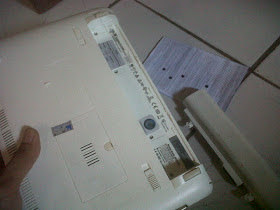
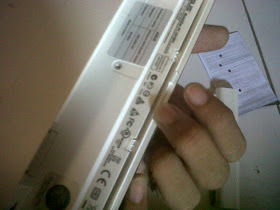
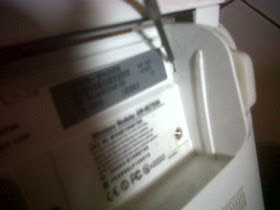
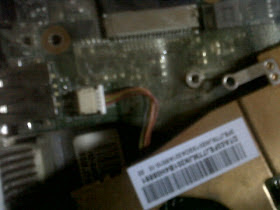
How to Fix a Noisy Fan Sound On Asus Netbook

http://.blogspot.com

Step-by-Step as follows :

1. Open the laptop battery, and disconnect all 4 small nuts that are inside
http://.blogspot.com

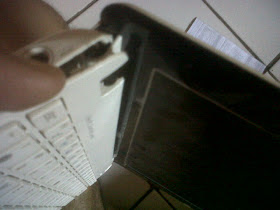
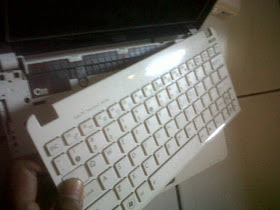
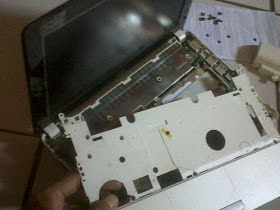
2. Still in place battery, Spread apart the frame edge keyboard with netbook casing and pull gently
http://.blogspot.com

3. On the left and right side, there is a hook to be removed. To do this, use a small screwdriver to push the latch. Do both the left and right
http://.blogspot.com

4. If you have, see the top of the netbook. Spread apart the keyboard cover with the bottom case. Look at the picture and did well on the other side the same way
http://.blogspot.com


5. Do the above until around the keyboard is open, as shown
http://.blogspot.com

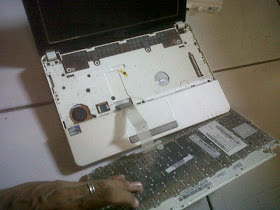
6. Lift the keyboard cover, be careful with the cable connectors that are linked to the motherboard
http://.blogspot.com

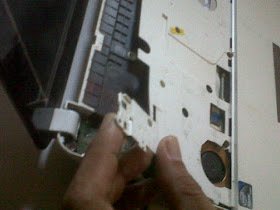
7. Disconnect all existing nut and we will open the inner casing netbook
http://.blogspot.com

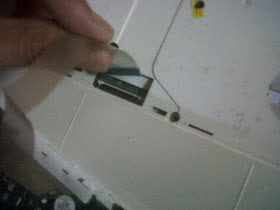
8. In order to facilitate us in opening up all the glue on the nut casing, unplug the keyboard from the motherboard. By sliding the white slots as data cable clip. Be careful when pulling, not too strong due to the very thin cable connector
http://.blogspot.com

9. After all the nut is removed, it is time to open the casing. Start by lifting the cover or casing left netbook. View image
http://.blogspot.com

10. Continue to loosen the back of the netbook. Use a thin object to enter the gap
http://.blogspot.com

11. Do it up all around the edge of the netbook is open, remember do not force too strong if there is a part that is difficult
http://.blogspot.com

12. After all is open, now pull the casing cover. Be careful not too strong, because there is no cable connectors to the motherboard
http://.blogspot.com

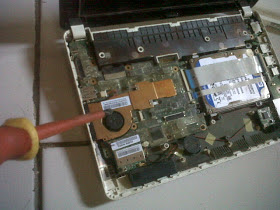
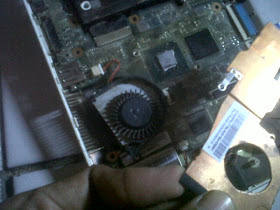
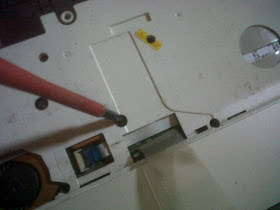
13. Focus your attention on the fan, on the left. Open the first all nuts the glue on the fan to the motherboard
http://.blogspot.com

14. Unscrew the nut fan
http://.blogspot.com

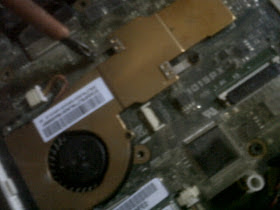
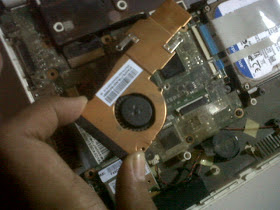
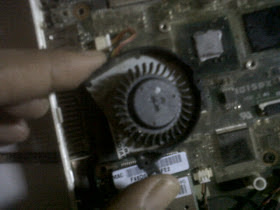
15. After all apart, remove the fan and brass. Be careful no fan power cable is still connected to the motherboard

http://.blogspot.com
16. Be careful with the fan power cable
http://.blogspot.com

17. Remove the fan cover brass, use a very small screwdriver to open the netbook fan
http://.blogspot.com

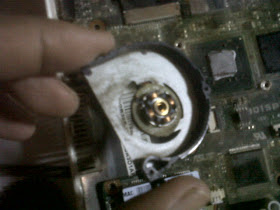
18. Take the fan wheel, check to see if a lot of dust around it. If more then immediately clean
http://.blogspot.com

19. Use a toothbrush or a soft brush to clean between the wheel and around the coil
http://.blogspot.com

20. Fan sound is usually caused by dry lubricant in the middle of the coil. Therefore, apply stemplet (soft oil) lightly at the middle of the iron mill as the center of rotation. And also rub around the inside of the wheel, because this section in contact with the coil in the middle. Remember only a few.

21. Good Luck
Read more »

Friday, March 14, 2014

Galaxy Tab 3 T211 vs Canvas Tab P650 Which one’s a better budget tablet

Samsung and Micromax are in edge to edge competition as they are both currently the leading vendors in the Indian market. A lot of their gadgets are being compared to one another. Now Micromax has just launched its flagship tablet, the Canvas Tab P650 which will be up against the Tab 3 211 from Samsung.
Let us have a comparative look at the Samsung Galaxy Tab 3 T211 and Canvas Tab P650:

Micromax-Canvas-Tab

Design: The Galaxy Tab 3 T211 is about 9.9 mm thick and weighs 304 grams. While the Canvas Tab P650 is 9.6 mm thick but slightly heavier than the Galaxy Tab. But the Samsung offering has a better build quality so this one goes in favour of the Tab 3.

Display: The Galaxy Tab 3 T211 carries a touch display of 7 inches and a resolution of 1024 x 600 pixels where as the Canvas Tab P650 features an 8 inch display and 1024 x 768 pixels resolution. The Micromax unit is slightly bigger which might just work in its favour but the Samsung device comes with a better pixel density.

Processor: Galaxy Tab 3 T211 has been equipped with dual core processor of 1.2 Giga Hertz which pales in comparison to the Canvas Tab P650’s quad core processor of 1.2 Giga Hertz. And this where the difference might just come in. But the Samsung Tab 3 211′s processor is based on Cortex A9 architecture whereas the Canvas Tab is based on Cortex A7 architecture so expect somewhat similar levels of performance.

samsung-galaxy-tab-3-180713

 Operating System: Galaxy Tab 3 T211 functions on Android 4.1 Jelly Bean while the Canvas Tab P650 works on Android 4.2.1 Jelly Bean. And the Canvas offers a stock Android experience so this is one aspect where the Micromax offering has an upper hand.

Memory: Both the devices carry a RAM of 1 GB. Galaxy Tab 3 T211 offers internal storage of 8 GB and expandable storage of 32 GB. On the other hand, Canvas Tab P650 provides 16 GB of internal storage and 32 GB of expandable memory. And the Micromax Canvas Tab P650 wins once more.

Camera: Galaxy Tab 3 T211 features 3 mega pixel rear camera and 1.3 mega pixel front facing shooter. Micromax again wins with its 5 mega pixel primary camera and 2 mega pixel front facing shooter.

Connectivity Features: Both the tablets offer connectivity options, such as Bluetooth, Wi-Fi, micro USB, GPS and 3G. Galaxy Tab 3 T211 also provides DLNA and GLONASS. There’s a sim card slot as well for connectivity alongwith calling facility.

Battery: Galaxy Tab 3 T211 runs on a 4000 mAh battery while the Canvas Tab P650 works on 4800 mAh battery.

Our Take: Though these two devices come under the same price cap, however, differences in terms of features and specifications are hard to ignore. The Canvas Tab P650 looks better on paper but the Samsung devices have already proved their worth in terms of real world performance.
Read more »

4 Tips for Becoming a Blogging Networking Machine

I get over 10,000 daily page visits on my blog. I network like mad. So I snag that many visits. If I did not network at all I might as well write a diary.

Blogging is creating value and networking. Talented bloggers with no network struggle to make money blogging or to even attract a few readers.

Networking machines who might not be talented bloggers usually make money blogging because their massive network of friends trust them.

Example
Observe the most successful people on earth: Bill Gates, Donald Trump, Warren Buffet. Each person builds a massive network of friends to aid them. To inspire them. To promote them.
When you have a gazillion people on your side life becomes so much easier. 10, 100 or 1,000 other bloggers promote your content. Which is how I get 10,000 page visits on a daily basis.

So how do you build a massive blogging network?

Build Blogging Network


1# Be a Friend to Become a Friend
Be a friend. Support people you meet. Be nice. Be helpful. Be a friend. This is simple. This simple act sets the foundation for a prospering relationship.
How do you treat offline friends? Well treat your online blogging friends the same way. Help. Go above and beyond to support your friends.

2# Create Comments like Content
The easiest way to make an impact in minutes is to read a blog post and create a memorable, valuable, piece of content with your comments. You will stand out from the crowd and make a ton of friends.
Comments can be your best friend in the networking department. Bloggers love receiving comments. Awesome comments? Well heck, you will have a blogger friend for life if you post 3-4 paragraph masterpieces on their blog, because each comment is a piece of content.

This means that search engines love crawling sites and seeing many insightful comments. Active, engaging blogs do well in search engines which of course spikes your blog traffic quickly.


3# Create Guest Posts for Buddies
I reached out to Ankit to see if he needed me to write a guest post. He did. So I churned this out. Here I am, making buddies with his audience and strengthening my relationship with Ankit too.

My network grows stronger and guess what? Guest posting benefits me too. Win-win situation here. I expand my presence and boost my blog traffic while providing Ankit with helpful, relevant content for his blog.
So our friendship grows stronger, my network expands and both parties win.
Be aggressive on the guest posting front to become a real networking machine. Famous entertainers network like mad, collaborating with other singers. Same deal with guest blogging. Showing up everywhere makes you memorable.

4# Open Up Your Blog to Guest Posting
This one is tough to follow for many bloggers. Perfectionists or selfish people want all the publicity for themselves. Unfortunately, selfish, greedy people make few friends in this world.
Generous people become networking machines. Because generous people are popular; we all love free givers.
I have roughly 20 guest posters on my blog. More are hopping on board quickly though as I sort through my email and field requests.

Hey, who WOULDN’T want to post on a blog that gets 10,000 page visits daily? And if I allow people to post, to share my platform, I am going to meet more, and more people, and my network grows, and my page visits will jump on autopilot as I simply review, hit “Publish”, and my network grows again.
Read more »

Micromax Canvas 4 vs Karbonn Titanium S9 Which one is a better sub Rs 20 000 device

Micromax and Karbonn, both have almost similar kind of journey since their respective inception in the homeland. Both have gained significant success in the Indian smartphone market and are considered as neck to neck competitors. Hence, the competition between the recently launched Micromax Canvas 4 and Karbonn S9 is going to be very interesting. We are plotting here the comparative analysis of the two smartphones.

Micromax Canvas 4 specifications
· Android 4.2.1 (Jelly Bean) operating system
· 5 MP Secondary Camera
· 13 MP Primary Camera with Sony sensor
· GPRS, EDGE, 3G and Wi-Fi support enabled
· Android v4.2.1 (Jelly Bean) OS
· Dual SIM (GSM + GSM) with dual standby
· Expandable Storage Capacity of 32 GB
· 1.2 GHz Quad Core Cortex-A7 Processor
· 5-inch LCD HD Capacitive Touchscreen

micromax canvas 4

· Full HD Recording
· 2000 mAh battery
· 16 GB of internal storage space with up to32 GB expansion through micro SD card
Micromax Canvas 4 comes with anodized aluminum body which is not just robust but also looks very smart. The keys are made of aluminum and it feels quite premium and offers better feedback. It comes in Grey and White color. The device is priced at Rs 17,399 and with its amazing camera capability, screens size and battery power, it is set to look beyond its league.

While its 5 MP secondary camera works fantastic during Skype chat sessions, its primary camera can give beautiful panoramic views, if moved smoothly across the area. Its price economy is a factor that you can not ignore. This was the reason because of which the device got huge response during the pre-sale.

Karbonn S9 specifications
· 1.2 GHz Quad Core Processor
· 5.5 Inch HD IPS Touch screen Display
· Dual SIM Support
· 1 GB RAM, 16 GB internal memory with slot for extension up to 32 GB
· 13 MP Auto Focus Rear Camera With Flash
· 5 MP Front Facing Camera
karbon-s9

· 3G, Wi-Fi, GPRS, EDGE, Bluetooth and USB
· Android 4.2 Jelly Bean
· 2600 MAh Battery

This is the fourth launch under Karbonn’s mid-ranged smartphone under Titanium series which has done decently for the brand. Many have alleged that there is not much difference between Canvas 3 and 4. However, it is for the first time that Karbonn has come up with HD IPS screen for its smartphones and the quality of display looks much better than its predecessors.

The market price for the phone is Rs 19,990. To make the deal more interesting, the company is offering a free flip cover along with the purchase of this smartphone. On the specification front, it scores well over Canvas 4. Its battery life and bigger screen gives it an upper edge in the competition. Both devices use similar versions of Android, hence score the same on this front.
Read more »

Tuesday, March 11, 2014

7 Mostwanted Things About SEO you should know before starting a blog

Hello everyone !! Before starting to create a blog, you should know about some basic principles and some tools.

1) Unique Content makes all....

Before starting a blog, make sure that your blogs posts are unique(i.e never seen in a website). Choose a good niche (Making money online etc..) and post some interesting and unique content. 


2) Search engine optimization..

This is what all bloggers try to make. SEO or search engine optimization means making your website visible in all the search engines (google,bing etc..). This SEO makes your blog get more traffic. More the traffic, more you can earn.


3) Google Adsense...

This is an ad network from google which places ads in your blog and with that you can earn.


4) Wordpress Blog is Better Than Blogger..

Blogger and wordpress are theblogging platforms by which you can create a blog. In wordpress, there are many seo friendly options where as even blogger has them but upto some limit.

                       But you have to invest some money before starting a blog in wordpress. But wordpress is best choice for the bloggers. So , spending money during start gives large benefits after,,

5) Google Pagerank..

Many bloggers dont care this but its most important tool to improvise your blog. This page rank makes your blog more searchable in search engines.

6) Be updated daily..

Update your blog daily and help the commentors who comments in your blog. Update different and unique posts..

7) Be concentrated and dont give up..

A blogger should have huge concentration can be able to run blog most succesfully . Dont give up blogging once you started.


    These are tips i can give to new bloggers. Thats all for this post .Hope you like it. Thank you....
Read more »

Monday, March 10, 2014

HTC 8X Gets a big price drop in India

HTC 8X India
HTC has not been doing really well globally but the company has a small following in India. The company has given its flagship Windows smartphone, the HTC 8X a major price revision and the device is now on sale for Rs 22,899 on snapdeal instead of the Rs 27,999 it was retailing for.

You can also buy it from flipkart for Rs 22,999 and get a portable charger as a freebie with it.
Here’s a list of its specifications of HTC 8X

· 4.3-inch Super LCD 2 Capacitive display
· Windows Phone 8 OS.
· 1.5GHz dual core Scorpion processor and Adreno 225 GPU.
· 1GB RAM.
· 16GB non expandable internal memory.
· 8MP rear camera, 2.1MP front camera.
· Bluetooth, Wi-Fi and 3G.
· 1,800 mAh battery.

The smartphone has not sold in decent numbers in India because it was up against the likes of the Lumia 920. But with the revised pricing, it enters the territory of the Lumia 820 and can pose some threat to the Nokia offering.

Our Take: The smartphone makes for a decent buy after the price drop if you are in for a Windows Smartphone and non-expandable memory is not an issue for you.

Read more »

Thursday, March 6, 2014

Problem With Apple Maps A Boon For Third Party Apps

Image representing MapQuest as depicted in Cru...


The problems that Apple has had with its heavily anticipated Apple Maps application for iOS 6 has turned many to the App Store where they could purchase a third party mapping application. Johan-Till Broer, who is a representative of GPS giant Garmin and its Navigon subsidiary, said that sales have increased over the last two weeks because of "the recent interest in map and navigation apps for the iPhone." Till Broer said that Garmin has the advantage of being one of the first third party mapping apps to integrate with Apple Maps and provide public transit information, as well as having a recognizable name thanks to its leading position in the GPS market. Additionally, once it became apparent that Apple Maps needed more work, Apple CEO Tim Cook suggested that iOS 6 users turn to third party services like MapQuest for an alternative to Apple Maps.
The Sears Tower is mis-labeled in Apple Maps
The Garmin rep noted that while free mapping applications have been around well before Apple debuted its mapping service, paid mapping apps have always done very well. Even on Android, where Google Navigation is a native application on the OS, paid mapping apps like Magellan, CoPilot Live, Garmin and Navigon have all been able to ring the ol cash register. Garmin and its Navigon subsidiary both use Google Local Search and Google Street View although both can be downloaded for free from the App Store and Street View is now a feature of the mobile web version of Google Maps.

The bottom line is that third party mapping providers, especially those paid apps offering premium services, have always done well even before iOS 6 brought the beleaguered Apple Maps. Now, the money is flowing in faster and we could see this trend continue even when Apple Maps is re-launched.

Enhanced by Zemanta
Read more »

Wednesday, March 5, 2014

How To Choose Between A Laptop And A Desktop

George Hutton

Owning at least one computer is becoming more and more important these days. Many businesses offer their employees the option of working from home, and many schools and universities require work to be done at least in part on a computer. Additionally, there are plenty of games and other forms of entertainment that a computer is perfect for.

In case you havent been down to the computer store lately, then you might not be aware that there have been more and more technological advances recently, and deciding which kind of computer to buy can be a confusing choice. If youd like to buy a computer, but havent quite decided if you want a laptop or a desktop, then this article is for you. After reading this, youll have a much easier decision.

The main advantages of getting a desktop is that you can get a much more powerful machine. You arent limited to space, nor do you require a battery. Hard drives are generally larger, and there are more slots for memory, so you can upgrade a desktop machine quite a bit. Also with desktops, you can get a much larger screen, since you dont have to worry about stuffing it into your purse or briefcase.

One of the biggest drawbacks to a desktop is that it sits right there on your desk, and nowhere else. Its pretty tough to take it with you, as you have all kinds of cords and cables connecting everything together. If you ever need to do some work away from home, at a hotel for example, then you wont be able to use your desktop.

The main benefit of having a laptop, of course, is that you can take it anywhere. Most places these days have some kind of wireless Internet, either free or paid, that you can use to connect with. And if you cant find a place to plug your machine in, then the battery should last several hours, depending on what you are using your computer for.

Some drawbacks to having a laptop is limitations on size, both on the keyboard, mouse and screen. Some of the biggest laptops have screen of seventeen inches, and this might not be large enough if you need to have several windows open at once. Also, upgrading your laptop by adding memory or an additional hard drive might be a little difficult, and require professional assistance.

So depending on where and when youll need to use your computer, you can choose which one is appropriate. If you only imagine yourself doing work at home, then a desktop is the best choice. If you need to do work in several different locations, then a laptop is the way to go. Of course, if you can afford it, getting both is always an option.

Read more »

Build a Yahoo Web Site Fast With Yahoo Design Tools

By: Russ Blanc

Your web site makes a statement about who you are. If you’re like most business owners, you want that statement to be, "We’re a thriving, growing business." And if you’re like most business owners, you don’t want to spend a lot of money hiring a web designer. Yahoo Web Design Tools can help you create the Yahoo Web Site you want, easily and quickly. When you host your web site with Yahoo Small Business, you get a free domain and Yahoo Design Tools.

Web design does not have to be either expensive or difficult. Even if you know nothing about web design or HTML, you can create an excellent web site. When you use Yahoo Small Business Web Hosting, you’ll build your own web site from scratch. Yahoo Small Business web hosting offers a checklist that walks you through the entire process of building your Yahoo web site, from scratch. Build your site right on your Yahoo web hosting account, and you’re ready to go.

With the design tools from Yahoo Small Business, you can choose a professionally designed template for your Yahoo web site, and customize the template you choose. In fact, when you set up your Yahoo web site, you may find the perfect template for your type of business. For example, Yahoo Small Business web hosting has templates created especially for law firms. Whether you use a Yahoo Small Business web hosting design template as-is, or customize it to fit your needs, your Yahoo Small Business web site will make the statement that your business is ready to serve your customers.

When you set up your Yahoo web site, you can add forms without knowing any HTML, include driving directions and maps to help your customers find you easily, and customize your web site with as many pages as you need. With Yahoo small business web hosting, you’ll have unlimited web hosting, so you can create as many web pages as you need, store audio and video files, and have up to 1,000 email accounts and unlimited email storage to keep track of communications with your customers.

When it comes to web design, most designers say that from good, fast and cheap, you can choose two. When you choose Yahoo web hosting and Yahoo Small Business design tools, you don’t have to choose. You’ll get a great design, set it up yourself in no time at all, and get the design tools free with your Yahoo web site.

Yahoo Small Business is your perfect choice for creating your web site quickly, easily and without learning a complicated programming language or going to design school. Your unlimited Yahoo web hosting lets you communicate with your customers, make a great first impression on your customers, and keep your Yahoo web site up and running. Yahoo Small Business is your partner in running an online business that gets results.

When it comes to creating a web site that speaks for your business, Yahoo Small Business web hosting gives you the design tools, the unlimited storage and bandwidth, and the support you need to excel.

Read more »

How to Find the Name or Title of a Song by Lyrics

Most people listen to songs from bands they like and sometimes search for the lyrics of a song if they can’t quite make out what’s being sung. However, for those of us who happen to listen to the lyrics of a song and want to find out who sang it, there are some useful lyric search engines that do just that. Frankly, this happen to me all the time!

Anyway, so if you know some of the lyrics for the song you’re looking for, you can try out a few of these lyric search engines to try and find the band or song name. Actually, there are quite a few of them out there, but only a few really have large databases of song lyrics. Here are some them websites :

 
1. Search Lyrics – This site also has some non-English lyrics and you can translate any of the English lyrics to another language on the lyric pages. Get Lyrical finds an exact match for your lyrics whereas Search Lyrics searches for those words anywhere in a particular song and will return a result even if the words are all not together.
song by lyrics


3. LyricsFly –  Make sure you click on Lyrics first and then perform a search.

songs by lyrics

The other web sites that I tried did not work good for song lyrics and so I’m not going to mention them here. If you know of any other lyric search engines, post a comment!
 
Read more »

Monday, March 3, 2014

Searching For Computer Repairs Derby There Are a Range of Options

By: Steve. A Shaw


There will always be a number of people who are going online and searching with the terms, computer repairs Derby, due to the sheer number of people who have this particular piece of technology in their homes. There is little doubt that they are amazing things to own however when they go wrong you suddenly realise how much you rely on them.
What then happens when they break down is we look at trying to find someone who can indeed fix it, and do so as quickly as possible. Due to their being so many potential options to pick from out there it is certainly best if you can spend some time looking into them before you select the one you trust enough to fix your machine.

It does help you out with the fact that they tend to have their own website as this is where you can learn all about the various services that they do actually provide. It will also let you see if they have various certificates in place, which shows they are trained by Microsoft as an example, which is going to help boost your faith in their ability to fix whatever is wrong.
This is going to be one thing where getting some help from others with regards to feedback is going to be entirely possible. This is due to how many people own these machines so consider asking a number of people if they have had problems with their computers and then who they took them to in order to have them repaired.

As you find out what they thought about the company they used then you are going to want to ask about the entire service and never just settle on how much they charged. Whilst saving money is always attractive you need to balance it out by hiring someone who you can trust and who ultimately offers you fantastic service as without these saving money is not as important.

Once you believe you have identified the company you would like to use it is always advisable to get a price from them for the work that has to be done and in actual fact try to get several to then compare. They will be given to you in writing and if you are unsure about what you are paying for ask for a breakdown of the costs as a good company will have no problem in explaining it all to you before you give them the go ahead.

So when you do that initial search with the terms, computer repairs Derby, then you are instantly opening yourself up to finding a long list of names of people who can fix whatever is wrong with your machine. Take your time checking out the services they provide and the kind of reputation they have in and around the area before getting a number of quotes from various companies and selecting the one that does indeed stand out from the rest as being the best one to use.

Read more »

Will A Reverse Email Search Investigation Work On A Gmail Account

Ed Opperman

There is a lot of false information floating around about Gmail and the reverse email search. Many people seem to think that you cant identify the owner of a Gmail account using a reverse email trace report. They base this opinion on the belief that Gmail will strip the senders IP address from the headers. This is faulty thinking to say the least. First of all the IP address is not stripped from the header in every case. In fact in many cases you will be able to find the senders IP number in the header and you can traced that back to their ISP. This may also give you valuable information about the sender or at the very least the senders geographic location.

In some cases you can take that little bit of information and make a 100% accurate identification of the owner of the email address.

But lets say we need to identify the owner of a Gmail account and the headers have been stripped the IP information. All is not lost because that is only a very small part of a professional email trace report.

An experienced investigator will have access to databases with literally hundreds of millions of names and email addresses. If they investigate emails as a full time endeavor they will most likely have complied their own data base of emails on top of that.

Additionally an email investigator worth his salt will have a huge check list of online resources where people sign up for accounts using email address that have to be verified before they can open an account. Sometimes these accounts are directly connected to banking accounts or credit cards.

But even if its a brand new email account and it was only created for the specific purpose of stalking and harassing you its still possible to identify the Gmail account owner using good old fashioned investigative techniques. The kinds to tricks and traps that have been used for years by investigators to locate dead beats, runaways and bail jumpers. Many of these methods have been used successfully on a daily basis all over the world long before email was ever in popular use. Now with the Internet these tried and true proven methods are even more successful and even faster than ever before.

So dont believe the hype that Gmail is untraceable but dont let the cyber stalkers know that.

Copyright (c) 2011 Opperman Investigations Inc

Read more »

Sunday, March 2, 2014

Windows 8 Features a Relatively Unknown


http://.blogspot.com

The steps are as follows:

1. Hidden Quick Access Menu

Windows 8 Quick access menu contains a hidden access from multiple application systems that are useful such as:
  • Programs and Features
  • Mobility Center
  • Power Options
  • Event Viewer
  • System
  • Device Manager
  • Disk Management
  • Computer Management
  • Command Prompt
  • Command Prompt (Admin)
  • And several other applications

http://.blogspot.com


2 . Running 2 Applications Coexistence

Windows 8 provides a feature where we can run two applications simultaneously by dividing the computer screen into 2 . Even on windows 8.1 , we can run 3 or 4 applications simultaneously , depending on the size of the screen .

http://.blogspot.com


3 . Password From Picture

Windows 8 provides various types of logging systems , namely Microsoft account password / local , picture password and PIN .

4 . Auto - Save Screenshots

In Windows 8, there is a feature in which we will more easily take a picture of a computer screen or better known as the screenshots . Only by pressing Win + PrtSc then the image will be automatically saved in the image folder ( by default in C : Users herbanu Pictures screenshots )

5 . Creating Application Groups in the Start Screen

When you first open the Start screen , you will notice that some of your apps are in the " group " itself . You can create your own by simply dragging an application icon to an empty space on the Start screen to create your own group . If you want the name of the group , for example , Applications , " Work " " Games " , etc. , you can do so by clicking on the small button in the lower right corner of the screen and right click on the group .

http://.blogspot.com


6 . Close Easy Application

By the look of the Metro , many functions in the computer has changed from the previous function . And I m sure many who do not know how to close or shut down the application on windows 8 . Since the close button on windows 8 no application or eliminated . However , it turns out there is a way to close apps in Windows 8 with great ease . In Windows 8 , there are new features that is to get out of an application no longer have to click on a cross / close at the top right corner of the screen . Stay drag and throw it into the bottom of the screen . Or it could be by directing the cursor to the corner and slide the cursor up or down until the display appears a lot of applications that are running , then right-click on the application that we want to close and click close

7. Synchronize User Accounts

Windows 8 supports user mode Account as on previous versions of Windows. However, the operating system can also create a new user account type that tersingkronisasi with the users Windows ID in question.

Through this account, you can access data from SkyDrive, Xbox, Hotmail / outlook and other services that other cloud-based Microsoft.

This new type of user account can also equalize your Windows settings in several different koemputer that can help when using multiple computers.

To access this feature run settings, select "Change PC Settings" and open "Sync your settings"


8. Windows Defender

Windows Defender Application revived in Windows 8, Microsoft Security Essentials replaces.
http://.blogspot.com


9. Turning Off Your Computer Fast

By pressing the key combination [Alt] and [F4] together, there will be a shutdown window appears.
http://.blogspot.com


10. Screen Practical

In Windows 7 snipping tool for application reveals images (screenshots), this tool is still there in Windows 8. However, there are different ways and more practical. You simply press the key combination [Windows] and [Printscreen] on the keyboard and the image will be saved in PNG format.
http://.blogspot.com

11. Good Luck
Read more »

Saturday, March 1, 2014

10 Reasons For Getting A Tablet Instead Of A Netbook

By: Danny Ashton


How people fancy technology nowadays is a fact that needs no denying. With the evolution of so many technological wonders, different products are manufactured by technology moguls to attend to the needs of people, specifically in the aspects of communication, information and entertainment. Two of the most coveted gadgets are the tablet and netbook computers.

Typically, the two serve almost the same set of purposes, but there are differences that can make one a better option than the other. Are you a pro-tablet or a pro-netbook user? Are you confused on which one to get?

Most of the techies, the colloquial term referred to gadget hobbyists, would say tablets are a better option. Why, exactly? The following are ten reasons why:

1. Weight is an issue, even in computers.
For travellers and people who need to bring computers for meetings outside of the office, bringing in an extra 2-3 kilos would be torture. Tablets could be as light as a thin book so it gets a star for that.

2. The tablet PC can lie flat in any working surface.
If you will be in a meeting with your boss, you would not want to block the view with a disturbing block of equipment.

3. The tablet just uses a special pen for keying in information.
Or in most cases, your fingers can just swipe away. If you believe it is about time to throw the mouse out of the house, a tablet is what you need.

4. Customizing your screen is much easier.
Unlike a netbook with so many settings and configurations, a tablet can be as personalized and customized as how you want it to be.

5. The accuracy of your inputs is better with a tablet than a netbook.
Since you can ditch the mouse and the confusing keyboard, you can have better access to your work and increase the accuracy of whatever you enter.

6. It is cheaper to buy a tablet than a netbook.
Price is an important factor in techie purchases, so if you wish to achieve better performance without spending all your money, better buy the most affordable tablet that you can find.

7. A tablet does not crash as often as a netbook.
System crashes are almost always inevitable, but a tablet is easier to troubleshoot and configure.

8. Travelling with a tablet means getting your own handy tour guide.
It would be difficult to use your netbook while getting around a foreign place. Opening a netbook, flipping the monitor and typing on the keyboard while listening to it go clickety-clack is one great challenge, particularly if you’re onboard a packed train.

9.Reading your e-books would be a breeze with a tablet.
Because there is no need for the mouse for scrolling, reading an e-book from a tablet is just like reading from a clipboard full of notes. You can also zoom in and out of the e-book interface with ease, and change the screen orientation according to your preferences.

10. The tablet PC is cool, in all senses.
Seriously, a tablet PC is a portable gadget with a wide-screen, touch-sensitive monitor that encompasses almost all features that you need—what else is there to say?

Read more »

Thursday, February 27, 2014

Can your PC run a game

Check weather your PC is able to run a game
Can I run Battlefield 3, or Modern Warfare 3? Does my computer meet the minimum or recommended requirements for The Elder Scrolls V: Skyrim? Difficult questions. But evaluating whether or not your computer meets or exceeds hardware requirements is our specialty. Remembering your exact PC hardware specs is tough, deciphering the meaning of a PC game’s minimum requirements is challenging and combining those tasks together is almost impossible for mere mortals. But Can YOU RUN IT does this millions of times every month. See for yourself, takes less than a minute.

just go to
                              http://www.systemrequirementslab.com/

enter the name of your game or select it from a drop down list
and click can you run it and results will be displayed

NOTE: It will ask you to install a java plugin so please install it and enjoy playing games
Read more »