Showing posts with label asus. Show all posts
Showing posts with label asus. Show all posts
Tuesday, March 18, 2014
How to Fix a Noisy Fan Sound On Asus Netbook

Step-by-Step as follows :
1. Open the laptop battery, and disconnect all 4 small nuts that are inside
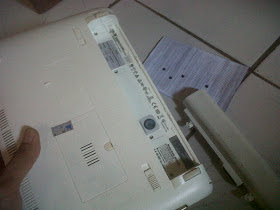
2. Still in place battery, Spread apart the frame edge keyboard with netbook casing and pull gently
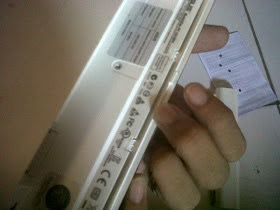
3. On the left and right side, there is a hook to be removed. To do this, use a small screwdriver to push the latch. Do both the left and right
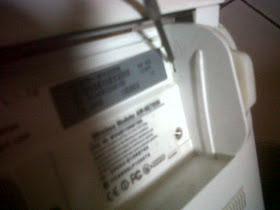
4. If you have, see the top of the netbook. Spread apart the keyboard cover with the bottom case. Look at the picture and did well on the other side the same way
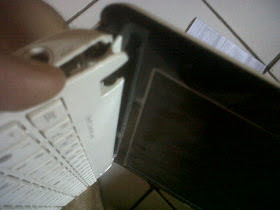
5. Do the above until around the keyboard is open, as shown
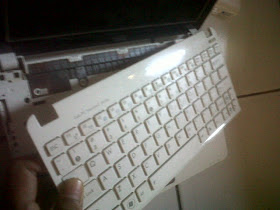
6. Lift the keyboard cover, be careful with the cable connectors that are linked to the motherboard
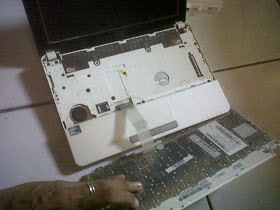
7. Disconnect all existing nut and we will open the inner casing netbook
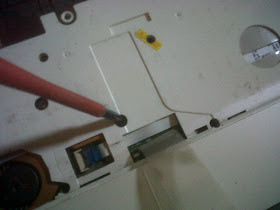
8. In order to facilitate us in opening up all the glue on the nut casing, unplug the keyboard from the motherboard. By sliding the white slots as data cable clip. Be careful when pulling, not too strong due to the very thin cable connector
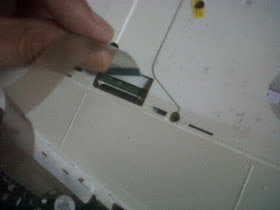
9. After all the nut is removed, it is time to open the casing. Start by lifting the cover or casing left netbook. View image
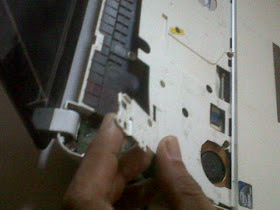
10. Continue to loosen the back of the netbook. Use a thin object to enter the gap
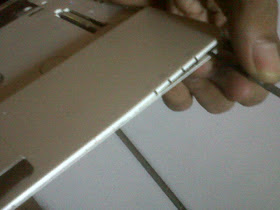
11. Do it up all around the edge of the netbook is open, remember do not force too strong if there is a part that is difficult
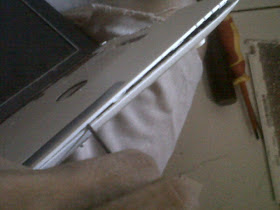
12. After all is open, now pull the casing cover. Be careful not too strong, because there is no cable connectors to the motherboard
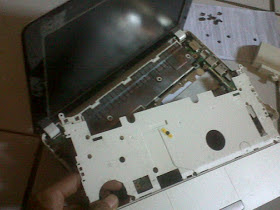
13. Focus your attention on the fan, on the left. Open the first all nuts the glue on the fan to the motherboard
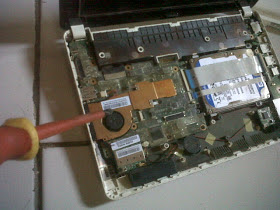
14. Unscrew the nut fan
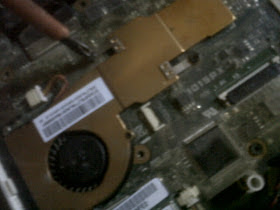
15. After all apart, remove the fan and brass. Be careful no fan power cable is still connected to the motherboard
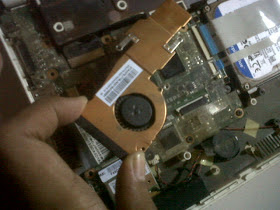
16. Be careful with the fan power cable
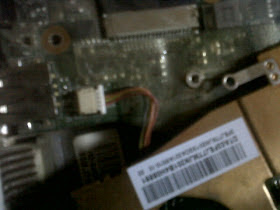
17. Remove the fan cover brass, use a very small screwdriver to open the netbook fan
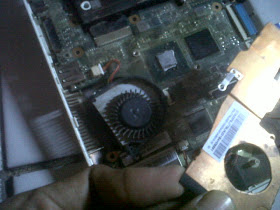
18. Take the fan wheel, check to see if a lot of dust around it. If more then immediately clean
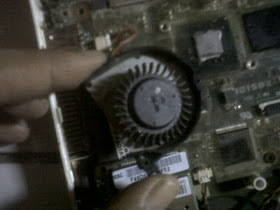
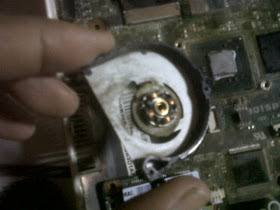
19. Use a toothbrush or a soft brush to clean between the wheel and around the coil
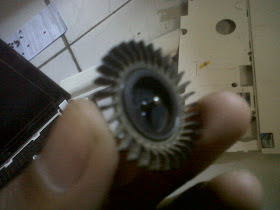
20. Fan sound is usually caused by dry lubricant in the middle of the coil. Therefore, apply stemplet (soft oil) lightly at the middle of the iron mill as the center of rotation. And also rub around the inside of the wheel, because this section in contact with the coil in the middle. Remember only a few.
21. Good Luck

Wednesday, February 12, 2014
ASUS P5KPL AM PS MOTHERBOARD

P5KPL-AM/PS with Intel G31 chipset inside supports Intel Quad-core CPU and features 1600(OC)/1333/1066/800MHz FSB, PCI Express x 16, Serial ATA interface, high performance integrated graphics engine, dual-channel DDR2 1066(O.C.)/800/667 memory, and 6 Channel HD Audio CODEC. Users can experience faster graphics performance. P5KPL-AM/PS is the most affordable all-in-one solution platform for Intel® Core™2 Processor with Intel G31 chipset inside.
P5KPL-AM/PS features,Support:
* Supports Intel 45 nm multi-core processors
* Intel® G31/ICH7
* FSB 1600(O.C.)/1333/1066/800 MHz
* DDR2 1066(O.C.)/800/667 MHz
* 5000hrs VRM Solid Capacitors
* Gb Lan
* 2 x COM Ports
* Anti Surge
Tags:-ASUS,P5KPL-AM/PS,ASUS P5KPL-AM/PS,P5KPL-AM/PS features,P5KPL-AM/PS with Intel G31 chipset,Motherboard designed for india, ASUS Motherboard designed for india,ASUS,P5KPL-AM/PS motherboard.
Monday, February 3, 2014
ASUS SBC 04DIS U Blue Ray Player

The ASUS SBC-04DIS-U looks splendid and stylish due to its slim form factor and casing, with a piano-black finish. This, however, also means that the surface quickly gathers fingerprints and dust. The build quality is very sturdy. Internally, it is a laptop Blu-ray drive and is therefore a low power device that can work on power drawn through the same USB cable, which is the data cable.
The ASUS SBC-04DIS-U comes with a stand that can be simply snapped onto it to make it stand upright. It therefore goes without saying that the drive supports vertical disc placement. The stand has a rubberized surface at the bottom to prevent the drive from moving around.SUS, like most other prominent Blu-ray manufacturers, has gone the CyberLink way. It comes with Blu-ray Disc Suite, which is a collection of many different software to view normal and HD content as well as create and burn DVDs and much more.
Tags:-ASUS SBC-04DIS-U,ASUS SBC-04DIS-U Blue Ray Player,ASUS SBC-04DIS-U Blue Ray Player price,ASUS SBC-04DIS-U Blue Ray Player review,ASUS SBC-04DIS-U Blue Ray Player specification,ASUS SBC-04DIS-U Blue Ray Player features,ASUS SBC-04DIS-U Blue Ray Player specs,ASUS SBC-04DIS-U Blue Ray Player price in india,ASUS SBC-04DIS-U Blue Ray Player launch in india.
Thursday, January 16, 2014
Asus A50 Smartphone

Garmin and Asus has joined together to release a new smartphone in the form of the Android-powered A50. The handset boasts a 3.5-inch HVGA resolution capacitive touchscreen display with a 3-megapixel Auto Focus camera, and a 4GB of storage space that is upgradable via a microSD memory card slot. What makes the Garmin Asus A50 more special is that it supports a finger-friendly user interface and Garmin’s pre-loaded turn-by-turn navigation.

Subscribe to:
Posts (Atom)