Tuesday, March 18, 2014
How to Fix a Noisy Fan Sound On Asus Netbook
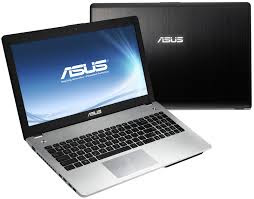
1. Open the laptop battery, and disconnect all 4 small nuts that are inside
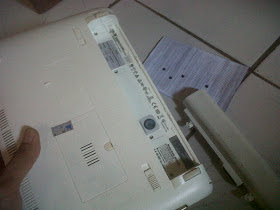
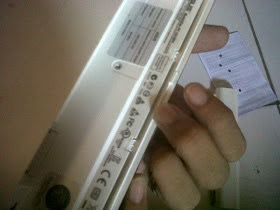
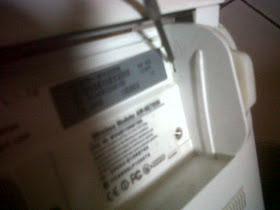
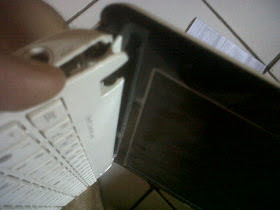
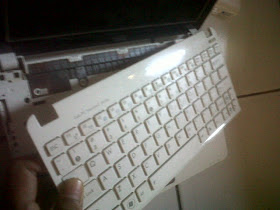
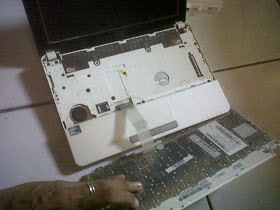
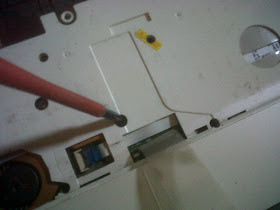
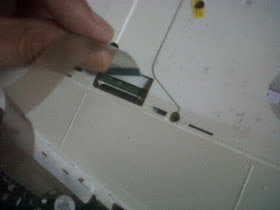
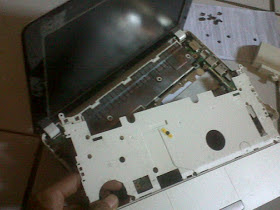
9. After all the nut is removed, it is time to open the casing. Start by lifting the cover or casing left netbook. View image
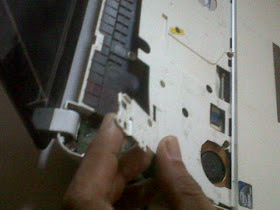
10. Continue to loosen the back of the netbook. Use a thin object to enter the gap
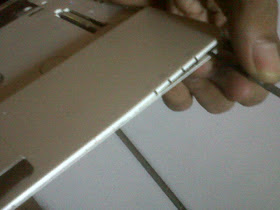
11. Do it up all around the edge of the netbook is open, remember do not force too strong if there is a part that is difficult
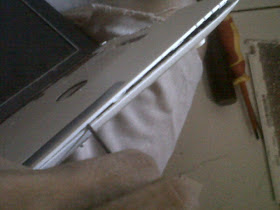
12. After all is open, now pull the casing cover. Be careful not too strong, because there is no cable connectors to the motherboard
13. Focus your attention on the fan, on the left. Open the first all nuts the glue on the fan to the motherboard
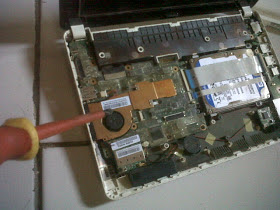
14. Unscrew the nut fan
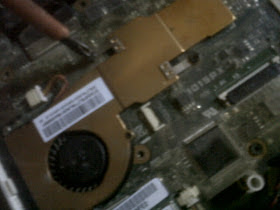
15. After all apart, remove the fan and brass. Be careful no fan power cable is still connected to the motherboard
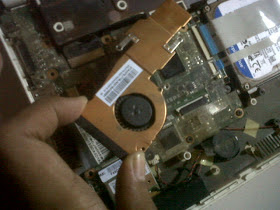
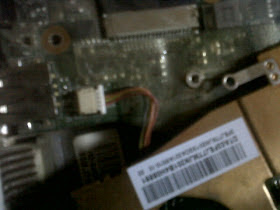
17. Remove the fan cover brass, use a very small screwdriver to open the netbook fan
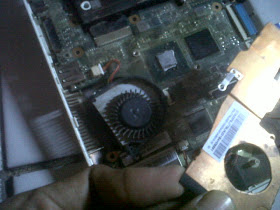
18. Take the fan wheel, check to see if a lot of dust around it. If more then immediately clean
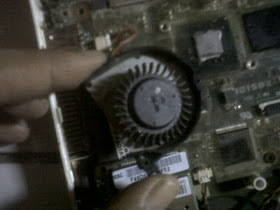
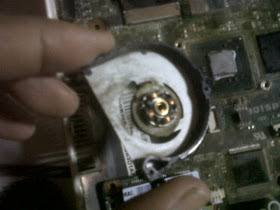
19. Use a toothbrush or a soft brush to clean between the wheel and around the coil

20. Fan sound is usually caused by dry lubricant in the middle of the coil. Therefore, apply stemplet (soft oil) lightly at the middle of the iron mill as the center of rotation. And also rub around the inside of the wheel, because this section in contact with the coil in the middle. Remember only a few.
21. Good Luck

Tuesday, March 11, 2014
Netbook Purchase Tips
 Netbook is the novel and hottest craze in portable computing, as lugging a 17`` laptop everywhere can be neatly replaced by buying an ultra portable netbook. Conversely, shopping for a netbook is best by following some buying tips.
Identifying computing needs: This is an immense factor worth considering and needs proper thinking and planning about using the netbook and the related software that you need. This depends on the fact about using it for web surfing or checking email or doing some serious jobs such as video editing or graphic designing. Netbook is appropriate for lower intensive tasks that comprises of web browsing, email checking and replying, besides office applications. A netbook with full size is recommended for jobs that are processor intensive.
Portability features: Carrying a netbook around involves comprehending the size and weight as the main factor. Netbook is available in plenty of sizes, but definitely is tiny and weights less in comparison to the bulky laptops. The portability features certainly is favorable only when the netbook is light in weight and small in size. The battery size and weight also requires to be considered as some power adaptors come heavy and large in size.
Comprehending the storage types: Types of netbook available in the market should be comprehended as it helps in selecting the desired to suit the needs and wants of the buyer. Netbook comes in SSD and HDD storage types such that SSD, the Solid State Drives boot faster, possess withstanding impact and is a bit faster in performance, but is notorious for low storage. Contrarily, HDD, the Hard Disk Drives netbook stores up to 160GB data, but are weaker withstanding impacts in comparison to their counterparts, SSD. Buying a fast netbook with less storage capacity or a netbook offering high capacity, but is slow in booting depends completely on the desire and need of the buyer.
Considering the netbook`s brand: Considering the brand before purchasing is essential as the market today is filled with numerous brands of netbooks. However, good brands such as ASUS certainly carry high repute, and are followed by many more manufacturers of netbook such as Acer, Dell, HP, Lenovo and MSI. These manufacturers vary in their signatures and a buyer should know these details prior to purchase, such as ASUS have small keyboards. It is necessary to know the different brand netbooks as well as their differences, and this can be understood by researching in the internet with patience.
Operating system: Similar to the desktop computers having Mac and Windows as operating system competitors, the netbook has Windows XP and Linux for competition. The netbook models are shipped by different manufacturers with an operating system, and hence every netbook is either featured with a Windows XP or Linux version. However, Linux version netbooks are well-known for their security and stability, while the Windows XP netbooks have gained the topmost popularity. Compatibility of versions is a must and hence a buyer usually opts for Windows XP netbook, as it is tough to switch paradigms facilitating Linux.
Reading reviews: User reviews play a vital role in determining the performance of some netbooks. Manufacturers do not leave any opportunity in hyping their product so that their sales are boosted. But, reading the reviews will assist in knowing the value or the rundown of a netbook model. Reading independent reviews of products offered in online computer magazines and searching the internet for more reviews will give valuable information about a product to be purchased.
Comparison: Settling for a shopping website at the first attempt is not recommended. Comparing prices from minimum three or five netbook sellers is the best before placing the order. Comparison is required as some websites offer the netbooks cheaper as they deal on wholesale orders, while others do the same and sell second hand netbooks. If buying online, make sure the you are dealing with a trusted website.
Saturday, March 1, 2014
10 Reasons For Getting A Tablet Instead Of A Netbook
How people fancy technology nowadays is a fact that needs no denying. With the evolution of so many technological wonders, different products are manufactured by technology moguls to attend to the needs of people, specifically in the aspects of communication, information and entertainment. Two of the most coveted gadgets are the tablet and netbook computers.
Typically, the two serve almost the same set of purposes, but there are differences that can make one a better option than the other. Are you a pro-tablet or a pro-netbook user? Are you confused on which one to get?
Most of the techies, the colloquial term referred to gadget hobbyists, would say tablets are a better option. Why, exactly? The following are ten reasons why:
1. Weight is an issue, even in computers.
For travellers and people who need to bring computers for meetings outside of the office, bringing in an extra 2-3 kilos would be torture. Tablets could be as light as a thin book so it gets a star for that.
2. The tablet PC can lie flat in any working surface.
If you will be in a meeting with your boss, you would not want to block the view with a disturbing block of equipment.
3. The tablet just uses a special pen for keying in information.
Or in most cases, your fingers can just swipe away. If you believe it is about time to throw the mouse out of the house, a tablet is what you need.
4. Customizing your screen is much easier.
Unlike a netbook with so many settings and configurations, a tablet can be as personalized and customized as how you want it to be.
5. The accuracy of your inputs is better with a tablet than a netbook.
Since you can ditch the mouse and the confusing keyboard, you can have better access to your work and increase the accuracy of whatever you enter.
6. It is cheaper to buy a tablet than a netbook.
Price is an important factor in techie purchases, so if you wish to achieve better performance without spending all your money, better buy the most affordable tablet that you can find.
7. A tablet does not crash as often as a netbook.
System crashes are almost always inevitable, but a tablet is easier to troubleshoot and configure.
8. Travelling with a tablet means getting your own handy tour guide.
It would be difficult to use your netbook while getting around a foreign place. Opening a netbook, flipping the monitor and typing on the keyboard while listening to it go clickety-clack is one great challenge, particularly if you’re onboard a packed train.
9.Reading your e-books would be a breeze with a tablet.
Because there is no need for the mouse for scrolling, reading an e-book from a tablet is just like reading from a clipboard full of notes. You can also zoom in and out of the e-book interface with ease, and change the screen orientation according to your preferences.
10. The tablet PC is cool, in all senses.
Seriously, a tablet PC is a portable gadget with a wide-screen, touch-sensitive monitor that encompasses almost all features that you need—what else is there to say?