Showing posts with label using. Show all posts
Showing posts with label using. Show all posts
Saturday, March 22, 2014
Using WPA for a more secure wireless connection

Wi-Fi Protected Access, or WPA, is a new, improved security standard for wireless connections. WPA has addressed the weaknesses of WEP; it was developed to create a viable alternative to WEP that is more secure than that standard. The fundamentals are the same between the standards, but WPA has improved some of the various mechanisms that plagued WEP. For example, encryption keys are now dynamic and change often automatically. Additionally, the complexity of the encryption key has also been increased to help fight off users who try to derive a key from data that they capture. One of the largest improvements in WPA is the addition of authentication to the wireless connection. Now, users have to have the right encryption settings, as well as a valid username and password, to gain access to the network.
This new standard is just starting to gain momentum. Microsoft has released a special patch for Windows XP that adds this new standard to Windows. However, installing the patch will not allow you to use this new standard. Just as with WEP, WPA is programmed into the firmware of the hardware components. In order to use WPA, you must have hardware that specifically supports it. Currently, only a few companies offer base stations and wireless adapters that support this new method of security. However, that will change in time.
The next time you are considering purchasing a wireless base station and adapter, do some research and pick one that supports WPA to ensure that your wireless communications will not be decrypted and your privacy is secure.

Thursday, March 20, 2014
Prank Your Facebook Friends Using Zalgo Text Generator Tool
How will you feel when you see something scary on Facebook statuses? or something that looks like if is a bug on Facebook? Well, here i gonna share something exactly matching that same thing that will prank your Facebook friend by posting something scary/grungy text effect called zalgo text. I will provide you a link of zalgo text generator below that will allow you to generate amazing scary text that you can easily post on Facebook status even you can directly paste into Facebook chat.

if you wanna see live demo about how exactly this working and looks like then you have a look at this netrever.blogspot.com ‘s facebook fan page post. So, if you like this amazing effect and want to post it on Facebook to prank your friends then below are full steps for getting this effect.
1. Go to Zalgo Text Generator
2. There you will see text generator tool like below :
![zalgo-text-generator[5]](https://lh3.googleusercontent.com/blogger_img_proxy/AEn0k_vmxdrOYMxDP4O_tSnu0s0GDY3GZi06r6bbNk4fBs2teeNOlwQ-Rcsez0pm2WYJX-tTlFyGI_e1Z0H4qlQxVs357DnOHx8wADmqSaX9yZ3MWQI_XN77__Wn5UgqtLGRBY9Osx1GQ5YRr1cMPw4JTyPjS_SvM10=s0-d "Zalgo text generator")
3. Now, just write something that you like on first box and your new scary zalgo text will be generated in the other box right on it’s side.
4. Also you have some more option that you can configure in order to make your text effect more outstanding and look more scary, so check those too.
5. now you have to copy the text and then you can easily paste and post on your facebook timeline as statues update or into your facebook chat.
Prank Your Facebook Friends Using Zalgo Text Generator Tool
1. Go to Zalgo Text Generator
2. There you will see text generator tool like below :
Zalgo text generator
4. Also you have some more option that you can configure in order to make your text effect more outstanding and look more scary, so check those too.
5. now you have to copy the text and then you can easily paste and post on your facebook timeline as statues update or into your facebook chat.
Wednesday, February 26, 2014
How To Restore Your iPhone To Factory Data Reset Without Using iTunes On Computer
iPhone is the best mobile available in the market as it fulfill the needs of all people. But some time it happens that your iPhone is not working properly due to various reasons such as you might have installed to many applications or there are many unused processes running in background. Or you just want to use you phone as it is new one or there might be some other reason like you are selling it to some other person.
In these cases the best option is to do a factory data reset which will erase all settings and data including your contacts and messages on your mobile and make it as new one like you have just unboxed it.
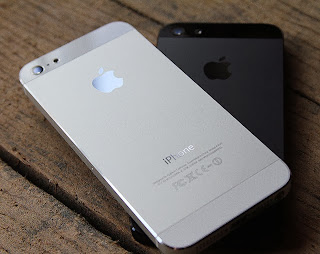
Note: Please make sure you have backup of all the information in your mobile on either on your computer or on icloud servers.
Just follow these steps to restore your iPhone to factory settings
Step 1: Tap on Settings
Step 2: Select General
Step 3: Scroll down to bottom and tap Reset
Step 4: Now click on Erase All content And Settings
Step 5: After that click on Erase iPhone
And after some further processes your iPhone will be restored to factory settings
OR View This Video
For any Suggestions or Queries comment below or contact us.
In these cases the best option is to do a factory data reset which will erase all settings and data including your contacts and messages on your mobile and make it as new one like you have just unboxed it.
Note: Please make sure you have backup of all the information in your mobile on either on your computer or on icloud servers.
Just follow these steps to restore your iPhone to factory settings
Step 1: Tap on Settings
Step 2: Select General
Step 3: Scroll down to bottom and tap Reset
Step 4: Now click on Erase All content And Settings
Step 5: After that click on Erase iPhone
And after some further processes your iPhone will be restored to factory settings
OR View This Video
For any Suggestions or Queries comment below or contact us.
Subscribe to:
Posts (Atom)