Showing posts with label social. Show all posts

Thursday, March 20, 2014

Social Media Strategies for Your Ecommerce Store

In order to pump up your sales, you need to have a killer online presence. Knowing where your customers are hanging out is a great start to this presence. Any ecommerce store worth its weight will have a specific target market or demographic. Knowing social media platform your customers are interacting on can be an extremely valuable piece of information.

Social Media Strategies for Your Ecommerce Store

Social Media Strategies for Your Ecommerce Store
Top Sites:
  • Pinterest- 80% of the people on Pinterest are women. Therefore if an ecommerce website sells products catered to women, they should have a very prominent presence on this social site. Home theater ecommerce sites might benefit from pinning more of their game room and concession products than speakers and projectors.
  • Facebook-Over 50% of Facebook and Twitter users say that they are more likely to buy or recommend from a brand that they already follow on one or both of the big social sites.
  • Google Plus –  Mostly men are on Google Plus, therefore if you have an ecommerce site that sells products men would be interested in, it would be a good idea to start building your circles on G+.
  • Twitter- Many business owners don’t understand how to utilize twitter to their biggest advantage. Twitter can be a great tool to find influencers online. Using their custom search bar to find followers in a certain niche is a great start. By using hashtags and mentioning people or companies in your tweets, you can not only reach a broader audience, but also get people interacting with your posts.
Good Match:
Once you have the attention of your target audience, you want to portray how your products or services are better than your competitors. Explaining your company’s unique advantages will set you apart from your competition the next time that consumer is looking to purchase your products.

Great Content Marketing:
This is one of the main keys to reeling in your potential customers. High quality images and informative blog posts will work wonders if you are sharing it with the right audience. With more and more customers liking and following your pages and boards, enticing them with offers will help to secure the hook. By offering incentives on your newsletter or page, your new subscribers will be more likely to purchase from your site.

Build Relationships With Influencers:
Each time someone shares your content, they are introducing you to their audience. If the two of you are in a similar niche, the odds are you will reach many more ideal customers than you could have done on your own. By sharing other people’s content, they will often feel inclined to share yours. Retweeting, mentioning companies on Facebook, or linking to companies in your industry is a great way to build a relationship. You have nothing to lose, and everything to gain!


Remember, the first step in building a solid social media platform is to know where your audience is. Also, social media isn’t only used to get people to purchase your products. It can be used for building relationships, spreading your online presence, and finding out what your customers want.
Read more »

Tuesday, March 18, 2014

Android jellybean 4 1 Vs iOS 6 Social Integration


‘Mobile’ and ‘social,’ walk hand in hand, and phone makers know how much social networks matter to the masses. Last year iOS 5 had Twitter integration and Apple added Facebook integration this year, to make the iOS 6 completely socially integrated. Jelly Bean follows suit, and you get integrated social networks like Facebook, Twitter, Dropbox, Picasa, its own Google+, and more.  

Seemingly, Google offers more integration, and yes of course it is also trying to pimp its Google+.  Apple has also integrated the two most popular social networks.
Newest flavour of Android...

Winner-Draw
Read more »

Sunday, March 16, 2014

Use Social Media Sites for Higher Ranks in Google

So, SEO has been changed since a long time. Google has been implementing changes in their search engine algorithm and now because of those changes, the SEO strategy has actually changed. The search engines now expect to see some social media activities of your website in the social media sites as well – which means social participation of your business. Google actually makes the things clear – the more your social participation is seen, the more your website would be seen on their search results.
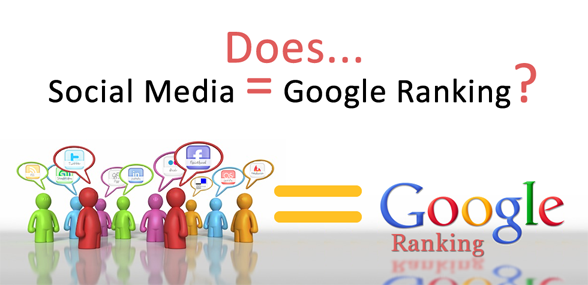
Social Media For Ranking

The recent updates including the one in the Penguin world has brought such changes in the search engine policy. You are going to be ranked favorably provided that you are the authority of your business. They observe your interaction with your customers and it can be easily done over the social network; probably that’s the reason behind measuring this change in the searching policy. If you can manage to do the socialization in the right way, you will get higher ranking.

Now, how do you do that? It’s easy if you know exactly where to click. You have to know what your consumers actually want from your business. Share lucrative posts on social media about it – be it a service, or product. If you can make them interested – they will share without you telling them to do so. The more shared, reposted, re-tweeted that post gets; the more exposure and rank you earn in Google.

And where are you supposed to do that? In the social media, the ones that get the most hits and here are six of them.

1# LinkedIn


No matter what social network you use for socializing, the most priority should be given on completing your profile first. When you fully complete your LinkedIn professional page and your personal page with profile picture and all the details, you get the advantages of being in touch with the professional people in your workspace orbit. Also, Google prefers results from LinkedIn.

2# YouTube


Google’s own this media sharing site and is a great tool for promoting your business for almost free. You can put video promotional about your product or service and get the attention of your consumers. Videos up to 10 minutes are completely free so it won’t cost a single penny for many businesses. And if done properly, video marketing makes your business more attractive to the consumers.

3# Facebook


There is forever running debates on the cyberspace about how Facebook will or will not lose interest to its users in the future. As we can’t see the unforeseen future so we don’t have any comments on that but Facebook clearly is the most popular social network these days. Proper use of this tool will surely get you the most consumers worldwide.

4# Twitter


It has become ‘embedded’ in many souls all around the world. Twitter has clearly showed how a 140 lines tweet can severely impact people’s lives. I don’t there’s much to say – just use this tool properly.

5# Pinterest


As people can pin and re-pin their interests to this social network, make sure your posts get enough pin to make the other consumers interested. That’s how you engage your potential customers.

So now given that the social networks to higher your ranking, get to work. The more you make the correct use, the more you earn higher ranking in Google and dont forget to check previous post on this blog written by Varun to know how social media sites plays best role to increase referral traffic to blog.
Read more »

Thursday, March 13, 2014

Social Bookmarking Buttons Beside Adsense Ad Unit In Blogger


google-adsense-earnings

The main advantages of this widget is that you can increase your Adsense impressions along with CTR – and of course, fill up the empty space besides Adsense units, making your blog look more beautiful and professional.

Adding these social bookmarking buttons at the top of your blogger post, will make things easier when your readers will want to share your posts via the networking sites. The widget includes buttons for Del.icio.us, Twitter, Facebook, StumbleUpon, Technorati and Digg.

Preview:-

How to add this widget to blogger?
  • First make your self a new Adsense ad unit with dimensions (300×250) 
  • Copy and paste adsense code in below Generator
  • Click on Generate button to get CSS and HTML code

  • Now go to blogger–>Template—>Edit HTML
  • Tick the Expand Widget Template check box
  • CTR+F to find ]]></b:skin> in your blogs HTML
  • Copy & paste above CSS code just before ]]></b:skin>
  • Next Search for <div class=’post-header-line-1′/>
  • Copy & Paste Above HTML code just After <div class=’post-header-line-1′/>
That’s all! Now finally click save template. Hope you liked the widget as i liked it. Share you views about it in the comment section below :)
Read more »

Saturday, March 8, 2014

Who Really Follows Your Social Media Updates

If you’re a regular user of the internet then chances are you have a social media account with one of the main providers. The majority of us use Facebook, Twitter or both to various degrees, but are you aware of how sharing personal information can put you at risk?

Home Security

One of the growing concerns among security experts is the rise in home burglaries that can be directly attributed to the victim’s updates on one of these major sites. If you can’t see why criminals would be interested in your domestic revelations, then consider this survey from the UK, which reveals that around four in five convicted burglars used social websites in order to plan their crime.
Having established who to target, those criminals then use Google Streetview as a handy way to virtually ‘case the joint’ before making their strike.

Loose (virtual) lips

But how does the whole process of using Facebook and Twitter to plan a burglary work? Perhaps the easiest way to answer that question is to look at the case of Arizona man Israel Hyman, who is convinced that a series of tweets led to a break-in at his home while his family was on vacation.

Back in 2009, Mr. Hyman claimed around 2,000 Twitter followers. As the family prepared for their trip to Kansas, various tweets revealed that they were, “preparing to head out of town,” that they had “another 10 hours of driving ahead,” and finally, that they “made it to Kansas City.”

While away from home, burglars called at the Hyman residence and stole thousands of dollars’ worth of items that formed part of his video equipment sales business , leaving the shocked tweeter in no doubt as to why he was targeted.

“My wife thinks it could be a random thing, but I just have my suspicions,” he revealed to the Associated Press. “They didn’t take any of our normal consumer electronics.”

Sadly, this isn’t just an isolated case, and as we’ve already seen from the 2011 UK survey, thieves are regularly accessing Twitter and Facebook to gather information such as that provided by Mr. Hyman. Stories surrounding the link between crime and careless Tweets are starting to become commonplace.

Further implications

Social Media Burglaries have caught the eye of the press, but they haven’t escaped the attention of insurance companies either. Underwriters are also concerned at what they call ‘internet shopping for thieves,’ and that could have certain implications as far as your homeowners insurance is concerned.

Reformed thief Michael Fraser, who had been assisting with a TV programme in the UK called ‘Beat the Burglar’ said:

“There is absolutely no doubt in my mind that burglars are using social networks to identify likely targets.  They gain confidence by learning more about them, what they are likely to own and when they are likely to be out of the house.”

Increased cases are likely to lead to a rise in premiums, but could a careless policyholder miss out on claim payments altogether if it’s proved that social media updates led criminals to their home?

How to stay safe

It’s very straightforward for criminals to use Twitter in this way because, unless Tweets are protected, anyone can read a status update. You don’t even have to follow that person in order to read them, and if you use Twitter for business, as Mr. Hyman did, it’s a very powerful marketing tool that should be left open for new clients to read.

However, you can stay secure simply by not revealing your exact location. We all like to let others know just how much we’re enjoying our holiday, but do we really need the world to know that we’re away from home?

Consider waiting to update until you return. That’s a perfect time to share all your photos and your stories while making it clear to whoever’s watching that you’re back at home and the place is fully occupied.
In addition, look at installing a security system to keep an eye on things for you while you’re gone. Remember how burglars like to use Google Streetview in order to assess your property and look for vulnerable access points? The majority of criminals who took part in the UK survey confirmed that they wouldn’t have even attempted a break in had they been made aware of an effective deterrent of this kind.
Social media is fun and useful, but it helps to be aware of the consequences of sharing too much personal information. As we’ve already seen, burglars do use platforms such as Facebook and Twitter to identify new targets — so be careful about your updates and make sure that your home security is operative and as up to date as possible.
Read more »

Thursday, February 20, 2014

Nexus Q The worlds first social streaming media player


In the event I / O conference, other than the Nexus 7-inch Tablet, Google also provides Nexus Q.

Nexus Q is designed make user easier share content and make home entertainment more social nature. The device itself is designed to connect directly to the internet either wirelessly or with Ethernet connectors, and the content directly from the cloud.

The form quite unique, round and black with various connectors lined up behind it. Form of this device is almost like a bowling ball.

Nexus Q can be used to amplifier, connected to the TV is HDMI-ready and can be controlled by Android devices that use at least Gingerbread Android OS

Nexus QQuoted from the San Francisco Chronicle, Nexus Q supports Google Play Music, Google Play Movies and TV, and YouTube. In diameter 4.6 inch devices who based on Android Ice Cream Sandwich OS is using OMAP 4460 dual-core ARM Cortex A9 CPU processor with SGX540 graphics core, 1GB RAM and 16GB of flash memory storage.

Ports provided fairly complete, including the Micro HDMI, Toslink optical audio, Ethernet, jack speaker connectors and a single micro USB port. Nexus Q also supports Bluetooth connections, Wi-Fi 802.11 b/g/n and near-field communications (NFC).

The price of the device is fairly expensive, which is USD 299 or USD 399 for a pair of speakers and additional cables

Nexus Q Specs:

SIZE
Diameter: 4.6 inches (116mm)

WEIGHT
2 pounds (923 grams)

HARDWARE CONTROLS
Rotating top dome volume control
Capacitive touch sensor for mute

LIGHTING
32 RGB perimeter LEDs
1 RGB LED for mute indicator

CPU
OMAP4460 (dual ARM Cortex-A9 CPUs and SGX540 GPU)

MEMORY
1GB LPDDR RAM
16GB NAND flash memory

OS
Android 4.0 (Ice Cream Sandwich)

SUPPORTING APPLICATIONS
Google Play Music
Google Play Movies and TV
YouTube

CONNECTORS AND PORTS
Micro HDMI (Type D)
TOSLink Optical audio (S/PDIF)
10/100BASE-T Ethernet (RJ45)
Micro AB USB (for service and support)
Banana jack speaker outputs

WIRELESS

Wi-Fi 802.11a/b/g/n
Bluetooth
NFC

AMPLIFIER
25W class D (12.5 watt per channel)

POWER
Integrated 35W switching power supply
World-ready 50/60Hz 85-265V AC input
Automatic shutdown for audio amp supply when not in use
Read more »

Monday, February 17, 2014

A Social Network Christmas

Amateur Person here wanted to say merry Christmas to all readers.
Many things can be told from His birth, but here is a video that tells a different way from the birth of Jesus Christ

See the video below:

Read more »

Sunday, February 16, 2014

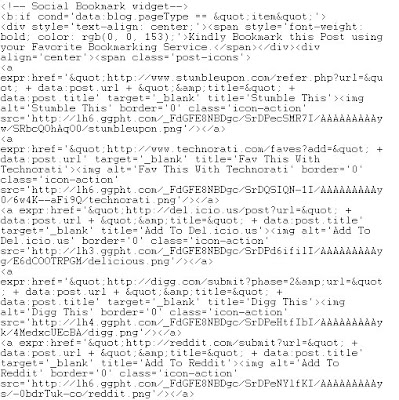
Add Social Bookmarking Icons Below Blogger Posts


Social bookmarks improve traffic to our blog, it is necessary that you make it more attractive and big.Follow these simple steps to display beautiful social bookmarking sites below every blogger posts.

* login to your dashboard
* Navigate to "Layout>>Edit HTML" from your dashboard
* expand your template, that is, make sure that you have a tick mark in that "Expand Widget Template"
* search using "CTRL+F" for the following line:
* After locating above lines, Copy the code given below, and paste it after above lines (found in your template)
* Now save your template and checkout!

Note :
1. Find twitter-id in the code and replace with your twitter user name.

Tags:-Add Social Bookmarking Icons Below Blogger Posts,social,bookmarking,Social Bookmarking,Icons,Add Social Bookmarking Icons,How to Add Social Bookmarking Icons,How to Add Social Bookmarking Icons belw every post,Social Bookmarking Icons Below Blogger Posts, blogger,blog,inrease blog traffic, increase google page rank, increase alexa rank, increse traffic.
Read more »

Saturday, January 11, 2014

Addthis Social Bookmarking Sites Buttons Widget for Blogger

Addthis Social Bookmarking Sites Buttons for Blogger to get more traffic from bookmarking websites to your blog instantly and you will also get more back links from bookmarking sites for each post.  Social Bookmarking buttons used to share your post to bookmarking sites like Reddit, Facebook, Twitter, Delicious, Stumble Upon, Technorati etc. You can add all buttons on blogger or you can choose from many available social bookmarking sites buttons. This buttons add at the end of every post to share your post on all social bookmarking sites instantly when click on buttons.
Social Bookmarking Sites

Social Bookmarking Sites Buttons for Blogger

So let’s get started to add addthis social bookmarking sites buttons widget to your blog. Please follow below steps to add this widget to below every post.

Step 1

Go to Addthis and click on "Get This". Now register your account on addthis. If you dont want to register than leave it, that’s not necessary. Choose your right button and services that you want to use in share for your blog. When you chose your button please copy code.

Social Bookmarking Sites

Step 2

Now Login into Blogger Dashboard and go to Design then Edit HTML as shown in below picture.

Social Bookmarking Sites

Step 3

Now search below code with the help of CTRL+F
<div class=post-footer-line post-footer-line-1/>

Step 4

Now Copy and paste below code and paste below above code:
<b:if cond=data:blog.pageType == &quot;item&quot;> Paste Your Addthis code here </b:if>
Tips: Paste your Addthis code in place of  Paste Your Addthis code here.

Step 5

Now click on Save Template Button.
Read more »