Showing posts with label android. Show all posts

Thursday, March 20, 2014

Android JellyBean 4 1 Vs iOS 6 User Interface

User Interface

Lockscreens

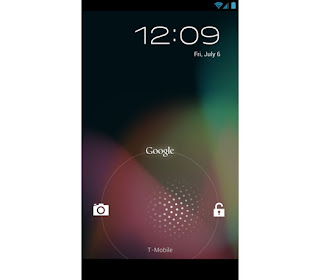
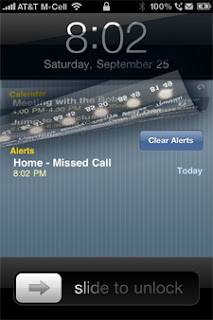
Well,most of you people are aware of the main difference between Android and iOS -customization vs ease of use.Well,first of all,when you turn your phone on you go to the lockscreen.Well the lockscreens in both the platforms are very different.In Iphone you get the typical Slide to unlock lockscreen,whereas in case of android jellybean you will be confronted with the drag to unlock lockscreen.However.there is one major difference -in case of iOS you are restricted to the Slide to unlock feature whereas in android you will get a whole bunch of third party lockscreens that you can install,thus enhancing your experience.
 Check out Android Lockscreen Alternatives


User Interface


Well after the lockscreen comes the user interface.In iOS 6 you are once again presented with the plain icons.In case of android once again it is all about customization.One thing that I noticed is that folders open faster in jellybean than iOS ,maybe because of project butter.

Notification Area

Well in this case it is almost a tie only a slight edge to android because of more allowance of choices in this area.


Read more »

Wednesday, March 19, 2014

5 Best Car Apps for Android


banner-best-car-enthusiast-app-list

Driving a car, a vehicle or moving by a mean of public transport sometimes makes us restless. What we seek is our own space, a kind of privacy where you are the boss. Driving a car becomes steering “The Mother Ship” of the aliens out of this planet, or moving in any public means becomes a DJ Club or An Arcade, where you are so into it that you forget, what are you doing and that too where. Here, we were referring to the music, or fun games we play.

But seriously, being in a vehicle becomes a monotonous task when it comes to a regular basis. There should be something, that could give or add a little bit of spark to that very existence of your in that mode of transport.

And this is what came into the minds of the working heads of the developers’ team in various Tech Giants like Apple, Google etc. And to add that little bit of newness or awesomeness into your daily routine, many apps were developed. And here we, bring to you some of the best apps that could that *spark* into your driving experience too.

Voice Actions:

5 Best Car Apps

When Apple came up with the Siri, many statements surrounded the tech world, conspiring that now all apps are acting similarly. But Voice actions have got something different or out of regular scales. The developers added the basic functions like writing texts, making and receiving emails and setting up meetings. There’s also ability to set-up reminders which are from the Voice Actions app itself, and you can also tap into phone and contacts.

The app can also work with maps, translations, opening specific websites, searching Google, and playing music. The feature list is definitely extensive, and there are many things you can find and do with your voice. So just try it out, as it would be fun to give instructions while driving. You can get it on iOS, Mac or Android app store.

iOnRoad:

Ionroad

The name is just as appealing as the app is for the drivers, since it is just based on the basic aim of safety. Suggestive name; “eye on the road” to that of “iOnRoad”.

The app  iOnRoad is a driver safety app that uses a combination of GPS data and augmented reality to monitor the road ahead for potential collisions. So we are talking about Augmented Reality, that is something to look for. By warning distracted drivers that they’re too close to the vehicle ahead, iOnRoad could save money on low-speed fender benders or save lives when speeds get higher.

Gas Buddy:

Gasbuddy

It’s best when we get something for free, and if not then for cheaper prices. So here is an app, which solves one of the issues of your rising gas prices or bill.

Gas Buddy helps you find the cheapest gas prices. You can either search gas prices by city or zip, or you can search using your location too. Its data is crowd sourced, meaning users enter the gas prices when they fill-up at a station. The app tells you underneath each price when it was last updated. And the best thing, since it is an open source based app, you get the best and at its best.

Waze:

Waze

We rarely ever lose our direction, or get lost in our place. But sometimes it requires a push to go to new places and that’s the time when you look out for GPS and other directional devices.

Waze is one such app that solves your problem right away. Waze is a social app, which collects data as you are driving and lumps it together with data from other drivers to relay real-time traffic conditions. It uses data points, search, voice recognition and calculations to get you where you want to go, with turn by turn and sharing interesting places and favorite eatery and details about your trip. A truly fun and useful app.

iWrecked:

iWrecked

This is one of those apps that you should have, but hope you never have to use. iWrecked is a kind of a helper in the event of an accident.

This app gives easy to read instructions as to what to do after an accident. You can use the app when an accident occurs, just click a pic and a tore it in the photo album. The app tags the location, date and time of the incident. You can even fill out an accident report and find the nearest towing location. A helper in time of bad situations and during the worst case scenarios it helps by providing you the quickest help. Go and Get it.
Read more »

Tuesday, March 18, 2014

Android jellybean 4 1 Vs iOS 6 Social Integration


‘Mobile’ and ‘social,’ walk hand in hand, and phone makers know how much social networks matter to the masses. Last year iOS 5 had Twitter integration and Apple added Facebook integration this year, to make the iOS 6 completely socially integrated. Jelly Bean follows suit, and you get integrated social networks like Facebook, Twitter, Dropbox, Picasa, its own Google+, and more.  

Seemingly, Google offers more integration, and yes of course it is also trying to pimp its Google+.  Apple has also integrated the two most popular social networks.
Newest flavour of Android...

Winner-Draw
Read more »

Monday, March 17, 2014

Blackberry Pauses BBM Roll Out for Android and iOS Blames the Unreleased Version

The much awaited release of Blackberry Messenger (BBM) for Android and iOS that gained attention of various social networking sites and users alike on Saturday turned off many before even turning into reality.
The global roll out of the popular messaging app that was scheduled for android and iOS users on Sept 21st and Sept 22nd respectively left many users confused and disappointed before its official release with the
company later pausing its roll-out across globe.

BBM-iOS-iPhone4

Blackberry however blamed the unreleased version of the BBM for Android app that was posted online prior to its official launch. “This unreleased version caused issues, which we have attempted to address throughout the day”, said the company. The tweet on the official twitter account of  BBM reads:
“We know you’re waiting. Pausing #BBM4All rollout to fix issues caused by unreleased BBM for Android app.”

The unreleased version saw more than 1.1 million active users in the first 8 hours (as per the company’s
announcement), which clearly shows the interest of Android users in BBM. The lucky iPhone users who have already downloaded BBM will be able to continue using the messaging app.The unreleased app will however be disabled, and customers who downloaded it should visit www.BBM.com to register for updates on official BBM for Android availability.

We still don’t know the exact date when Blackberry will resume its BBM roll out services for third party platforms, but once they are able, the company will begin a staggered country roll-out of BBM for Android and continue the roll-out of BBM for iPhone.

If you are new to BBM and wondering why you should use BBM, read this post.
Read more »

Argos Android tablet

Argos Android tablet bandwagon with £99 MyTablet


Argos undercuts the Hudl with a 7inch, 100 whitelabel Android tablet
    UK supermarkets carrying their own branded tablets is apparently a thing now, and Argos has joined Tesco with its launch of the 7-inch MyTablet.
    The slate will come with 8GB of storage (compared with the Hudls 16GB), run on Android Jelly Bean 4.2.2 and arrive with apps like Angry Birds, Facebook, Twitter and the BBC iPlayer built in. Theres a 1024 x 600 LCD display and a 1.6GHz dual core processor doing the hard labour. Battery life is listed at 5-hours with  0.3-megapixel front-facing camera and the 2-megapixel rear snapper. and Wi-Fi and BlueTooth connectivity.
383 1395769XFA80UC1534506 520x535 UK retailer Argos announces the £100 MyTablet, an Android Jelly Bean tablet for kids


The tablet will cost £99.99 ($160) and will go on sale from Wednesday.

Argos says it is targeting kids, and in particular those aged between 8-13 years-old (MyTablet will include parental controls), as Simon Barry, Argos’ technology trading manager, told the BBC:
   Kids find it hard to share, so we’ve priced our tablet at a level that means everyone in the family can have one.
    We know a lot of families are probably feeling worse off [financially] this Christmas than last. We’re confident MyTablet is going to do really well.
  Tesco says it sold 35,000 of its £119 Hudl device within ‘a few days’ of its launch. With British shoppers tipped to buy 8 million tablets per year, it will be interesting to see how MyTablet fares.


This seal is issued to www..vze.com by StopTheHacker Inc.
Read more »

Wednesday, March 12, 2014

Reasons To Switch To Android From Windows Phone

Recently I wrote an article about how Apple can "steal" a few customers from Android.Well,that will be a bit too harsh upon Android,I think.But don;t worry apple fans I am not gonna post the opposite. Obviously,because i think its almost impossible to detach Apple fans from Iphone.So I am gonna post reasons to switch to Android from Windows Phone.

1.Customisation

              One of the things about Windows Phone is that it’s designed not to require heavy tweaking like the old Windows Mobile did. Instead, its customizations are designed to be more automated and content-based.  For example instead of you having to go in and change a background image for a hub or live tile, things change automatically based on what’s going on.  A lot of people still really like all of the power to dig under the hood and change things that other people probably wouldn’t have the time or desire to get into.  This is another big reason why many of the old Windows Mobile users, who loved all the customizations they could do, have switched to Android which offers a similarly high level of manual customization options.  Of course, you don’t have to tweak everything in Android, but then you might get bored with it pretty quickly.

2.More Apps

              This is the gold standard complaint for new operating systems and it’s an especially prevalent mantra for Windows Phone even though in reality Windows Phone may very well support all of the apps you want.  Of course there are instances where it does not, and for those you’ll probably have to switch to a different platform like Android.

3.More Features

           
                                 Android has a lot more “innovative” yet perhaps not so useful features.  If you want to be on the cutting edge of experimental stuff, Android is what you need.  The whole 3D screens and cameras thing didn’t exactly catch on, but Android certainly had it.  Maybe you think it’s cool to move icons around on your screen, by holding your finger on one and then turning your whole body to the left or right.  Maybe you want to launch the camera by turning on your phone, holding a finger on the screen, then holding the phone up vertically and rotating it.  Or maybe you think pressing a button to make a call is for suckers and would rather just hold the phone up to your head to start a call.  There’s so many more of these strange new features coming to Android, where as Windows Phone still keeps things pretty simple and doesn’t add something unless it’s a little more thought-out first.
Windows Phone 7.5 Mango vs. Android 2.3.2 Gingerbread

4.Maturity

                 Well,everyone needs to admit that WP is still quite young,whereas Android is the elder brother.The project butter in Android has made things smoother and faster.So obviously,if you want an OS with experience,Android is your choice.
Enhanced by Zemanta
Read more »

Scan Receipts Bills Business Cards Save as PDF on Android


CamScanner can be used to scan Receipt, Bill, Tax Roll, Business Card, Membership Card, VIP card, Agreement, PPT and Whiteboard, Note, Memo, Script, Letter, Books, Magazines, Newspaper, Poster, Coupon, Courier Sheet, Resumes and any other documents.
CamScanner Features
It has the following set of features -
  • Batch Scan Documents : It allows you to take pictures of multi-page documents and you can scan up to 3 images per batch.
  • Auto Crop and Auto Enhance Image : It has smart image processing technology which can auto detect edges of images, auto enhance image and auto crop it. The option of color enhancement is also provided.
  • Create & Share Multi Size PDF files : You can create PDF files in more than 10 different sizes and formats including A4, B5, user custom and auto fit to the proper size.
  • Backup Documents: It can back up and restore your documents in your SD card.
  • Manage Scanned Files : Managing your scanned documents is easy in file list or thumbnail view, tag, merge and delete files or pages.
With so many features and free to download app, you would love to use this app.


CamScanner Download

Click here to download CamScanner for free
Read more »

Tuesday, March 11, 2014

5 Awesome SMS Android Apps

By: Danny Ashton


One of the basic needs of a mobile phone is to be able to connect to other people by the power of texting. Text messaging, also known as SMS, is one of the functions never to be missed out in a phone. Although text messaging is an old function, it is good to know that its style has evolved over time. The Android market, for one, never fails to give SMS a modern touch. Currently, there are numerous applications that can help manage your SMS messages and present them in a visually appealing way but among these apps, the five hailed as awesome are presented below:

1. SMS Popup
This is a customizable application that comes with features to improve the efficiency of your SMS. SMS Popup’s user interface is simple and functional. One of its useful features is the popup dialog box which allows you to reply quickly once you receive a new message. Whenever you get a new SMS, a small dialog box will pop up showing the message and the person sending it. Moreover, you can simply reply or delete the SMS with this dialog box. What’s more amazing is that you can use the app’s voice button to use the speech-to-text feature. This is especially great when you’re already tired using your precious thumbs. Surely, SMS Popup is one must-have extension to your standard SMS application.

2. Handcent SMS
This is an enhanced SMS application that gives you a lot of customization options. This app shows text message conversations in a bubble design that is easier to follow and is more pleasing to look at as compared to the standard SMS system in Android. Still, you can change the background color of your conversations, choosing from several types of message presentations and importing new font packages to fancy up the lettering. Once you open Handcent on your Android phone, you will see a list of your contacts and to start a messaging session with a new contact, you either choose an existing contact or you hit a button at the top of the screen. After choosing a contact, you will see a screen containing a message stream from your most recent messaging session with that particular contact. You can now start the messaging and continue the stream. Handcent’s interface includes a phone button at the top of each messaging screen in case you decide to stop the messaging session and call the person. A Handcent widget on your phone also tells you if you have new messages and how many there are. Overall, this app lets you spruce up the look and feel of your Android phone’s messaging function.

3. ChompSMS
This is one great text messaging app that includes features like contact picture thumbnails, time stamps on messages which are shown in sequence, set-up of specific ringtones for contacts, and blacklisting of certain numbers. Compared to other applications, Chomp SMS is very much the same but the only difference is that it features ads along the bottom of your screen. Also, if you want to enable the quick call and contact picture functions, you just need to go to Settings, then customize Look, scroll to the bottom and check the last two features. The bonus point of this app is that it features a free text messaging service called TextFreek. However, it is only exclusive among TextFreek users.

4. GoSMS
Among the different SMS applications, this is the only app that offers security and back-up or recovery settings. Such settings are handy especially if you’re thinking of doing a factory reset or you want to change phones. The security settings are very similar to Android’s lock screen settings, which offer pin-based unlocking methods.

5. Google Voice
One of the features of this app is that it assigns a personal phone number to you as the user. You can use this number to make calls or to send text messages via the web. Google Voice’s online service archives your voice mails and text messages, giving you a guarantee that you will never lose your conversations. The downside of this app is that it lacks customization options or most of the features that other apps have. However, it makes up with its ability to send free text messages and to sync with your Google account. In case you’d run into Wi-Fi hotspots or you want to make some international calls, Google Voice would always come in handy.

Read more »

Monday, March 10, 2014

How To flash Beats Audio Success Port To All Samsung Android 2 3 Smartphones

Why Beats Audio?
-The sounds will be more natural, playing with more clarity.


How To flash Beats Audio ?

1. You need to root your phone. Click here to root if you havent root yet.

2. You also need to install CWM. Click here to install CWM if you havent.
    Make a backup just in case.


3. Download flash.zip :
Mediafire  |  UFile


4. Copy flash.zip to USB Storage.


5. Turn off your phone and boot in CWM (Hold Volume up + Home button + Power button and release Power button after samsung logo appear) [It maybe different for some phone].


6. Choose flash.zip from sdcard.


7. After that, reboot your phone and you Done.
Read more »

Sunday, March 9, 2014

60 Beautiful Wallpapers for Your Android Phone


The wallpaper is one of the most basic customizations on any computing device, be it your computer screen or your phone. It is the one thing most of us change the moment we get our hands on a new device. — and, if you’re like me, every few days. 

Unfortunately, it isn’t difficult to get bored by the stock wallpaper collection, and finding good wallpapers for Android phones on the web is not the easiest of tasks. Let us take that challenge, then, and present to you a collection of 60 kick-ass wallpaper images to spice up your home screens.

Note that the wallpapers in the list below are in two different sizes, which are most common across the huge variety of Android phones out there. It is virtually impossible to have different versions of every wallpaper image to match all the devices out there. It shouldn’t matter much though, since Android will let you crop an image to fit the device resolution when you select a wallpaper.

Patterns

Chic Pattern :: 960×854 pixels (+ more)
Chic Pattern

Blue Pattern :: 960 x 854 pixels
Blue Pattern

Grunge Canvas :: 960 x 854 pixels
Grunge Canvas

Fire Heart :: 960 x 854 pixels
Fire Heart

Extra Clean :: 960 x 800 pixels
Extra Clean

HTC Abstract Pattern :: 960 x 800 pixels
HTC Abstract Pattern

The Dirt :: 960 x 854 pixels
The Dirt

Photographs

White Trees :: 960 x 854 pixels
White Trees

Wave :: 960 x 800 pixels
Wave

Berry Wild :: 960 x 800 pixels
Berry Wild

May Flower :: 960 x 800 pixels
May Flower

Veins :: 960 x 854 pixels
Veins

Turtle :: 960 x 854 pixels
Turtle

Tropical :: 960 x 854 pixels
Tropical

Sunset in Space :: 960 x 854 pixels
Sunset in Space

Setter :: 960 x 854 pixels
Setter

Red Rose :: 960 x 854 pixels
Red Rose

Autumn Leaf on Tarmac :: 960 x 800 pixels
Autumn Leaf on Tarmac

Bamboo Green :: 960 x 854 pixels
Bamboo Green

Bamboos :: 960 x 800 pixels
Bamboos

Rain Drops on Grass :: 960 x 854 pixels
Rain Drops on Grass

Purple Flowers :: 960 x 854 pixels
Purple Flowers

Aqua :: 960 x 854 pixels (+ more)
Aqua

Pebbles :: 960 x 854 pixels
Pebbles

No Deforestation :: 960 x 854 pixels
No Deforestation

Wishes Sprout :: 960 x 854 pixels
Wishes Sprout

Lady Bug :: 960 x 800 pixels
Lady Bug

Endeavour Launch :: 960 x 800 pixels
Endeavour Launch

Hot Coffee Beans :: 960 x 800 pixels
Hot Coffee Beans

God’s Splendour :: 960 x 854 pixels
Gods Splendour

Sunflower :: 960 x 854 pixels
Sunflower

Felt Pens :: 960 x 800 pixels
Felt Pens

Feathers :: 960 x 854 pixels
Feathers

Eiffel Tower :: 960 x 854 pixels
Eiffel Tower

Droplets :: 960 x 800 pixels
Droplets

Dew Drops :: 960 x 854 pixels
Dew Drops

Dandelion :: 960 x 854 pixels
Dandelion

Cherries :: 960 x 854 pixels
Cherries

Canyon :: 960 x 800 pixels
Canyon

Beach Boat :: 960 x 800 pixels
Beach Boat

Artwork

Abstract Swirls :: 960 x 854 pixels
Abstract Swirls

Alone Tree :: 960 x 800 pixels
Alone Tree

Earth Nuke :: 960 x 854 pixels
Earth Nuke

Hexh :: 960 x 854 pixels
Hexh

Beauty of the Vast Plane :: 960 x 854 pixels (+ more)
Beauty of the Vast Plane

Little Big Planet :: 960 x 800 pixels
Little Big Planet

Pearl Web :: 960 x 854 pixels
Pearl Web

Primary Colors :: 960 x 854 pixels (+ more)
Primary Colors

Red Blur :: 960 x 800 pixels
Red Blur

Shining Red :: 960 x 854 pixels
Shining Red

Silhouette of Sorrow :: 960 x 854 pixels (+ more)
Silhouette of Sorrow

Moment in Space :: 960 x 854 pixels
Moment in Space

Typography :: 960 x 854 pixels (+ more)
Typography

Looove :: 960 x 854 pixels (+ more)
Looove

Night Launch :: 960 x 800 pixels (+ more)
Night Launch

Quiet Night :: 960 x 800 pixels (+more)
Quiet Night

Snowflakes :: 960 x 854 pixels (+more)
Snowflakes

Windows 7 Alternative :: 960 x 800 pixels (+more)
Windows 7 Alternative

3D Blocks :: 960 x 854 pixels
3D Blocks


Where do I get more?

Okay, so for most people, these are more wallpapers than one would need for a very long time. But what if they’re just not your type? Or if you just like changing the look of your phone screen every couple of hours?! Don’t worry. There are many many more where these came from. Here’s a consolidated list of sites from where we picked our favorites. Go find yours!
  • Vladstudio
  • AndroidWall
  • Daily Mobile
  • enercy on DeviantArt
  • zpector on DeviantArt
  • Flikie Wallpapers
  • Wallpaper Center
  • Euphoricarythmia
  • Google Nexus Walls
  • Gotowallpapers
Read more »