Showing posts with label user. Show all posts
Showing posts with label user. Show all posts
Friday, March 21, 2014
How to Block or Remove Blogspot Follower User
How to Block or Remove Blogger Follower User?
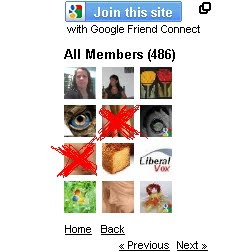
How to Add Friend Blogapot Follower User?
Some Blogspot follower user use Adult and sexy image. If you are having blogger blog, you will have followers widget for every blog by default. In this case any visitor can become your follower. Now if you wanted to moderate it and blog any follower here are some simple steps to do this. Or else if you wish to Add the follower as friend then also check the below 8 steps.
1. Login to blogger.com.
2. Here, for every blog of you an see followers link if it has minimum one, as you can see in bellow image my blog has 101 Followers
3. Click on Followers Link for the blog for which you want to block some follower
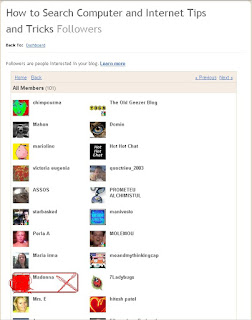
 4. It will show list of followers as shown in bellow image.
5. Now click on the picture of the follower which you wanted to block
 6. This will show updates and links of follower as well as link for blocking the follower.
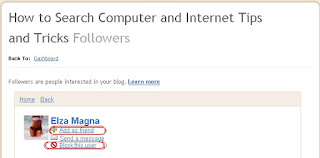
7. Click on Block This User Link and follow the steps and the follower gets blocked from following your blog.
8. If you dont want block the follower but add as a friend then click on Add as friend as shown in the above image.
Thank you....
Read more »
How to Add Friend Blogapot Follower User?
Some Blogspot follower user use Adult and sexy image. If you are having blogger blog, you will have followers widget for every blog by default. In this case any visitor can become your follower. Now if you wanted to moderate it and blog any follower here are some simple steps to do this. Or else if you wish to Add the follower as friend then also check the below 8 steps.
1. Login to blogger.com.
2. Here, for every blog of you an see followers link if it has minimum one, as you can see in bellow image my blog has 101 Followers
3. Click on Followers Link for the blog for which you want to block some follower
4. It will show list of followers as shown in bellow image.5. Now click on the picture of the follower which you wanted to block
6. This will show updates and links of follower as well as link for blocking the follower.7. Click on Block This User Link and follow the steps and the follower gets blocked from following your blog.
8. If you dont want block the follower but add as a friend then click on Add as friend as shown in the above image.
Thank you....

Thursday, March 20, 2014
Android JellyBean 4 1 Vs iOS 6 User Interface
User Interface
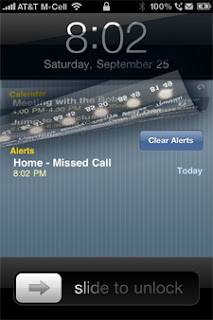
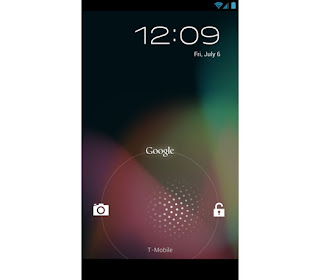
LockscreensWell,most of you people are aware of the main difference between Android and iOS -customization vs ease of use.Well,first of all,when you turn your phone on you go to the lockscreen.Well the lockscreens in both the platforms are very different.In Iphone you get the typical Slide to unlock lockscreen,whereas in case of android jellybean you will be confronted with the drag to unlock lockscreen.However.there is one major difference -in case of iOS you are restricted to the Slide to unlock feature whereas in android you will get a whole bunch of third party lockscreens that you can install,thus enhancing your experience.
Check out Android Lockscreen Alternatives
User Interface

Well after the lockscreen comes the user interface.In iOS 6 you are once again presented with the plain icons.In case of android once again it is all about customization.One thing that I noticed is that folders open faster in jellybean than iOS ,maybe because of project butter.
Notification Area
Well in this case it is almost a tie only a slight edge to android because of more allowance of choices in this area.
Thursday, January 23, 2014
Google Plus Available for Google Apps User
From today, Google+ is available to Google Apps user as well. Better late than never.
Read more »
Before you can use Google Plus, your domain administrator must enable it for your domain. If you are a domain administrator login to the domain panel and go to Organization & Users -> Services.
In there search for Google+ and enable it and save.
Now all the users in that domain can use Google+.
Subscribe to:
Posts (Atom)